By the way, while I was inside of todds modem/router from AT&T, I set it up to use the default Plex and Plex IP forwarding. I used both, after that it was working flawlessly. Just something you may want to look at, maybe that’s the solution for everyone v0v
I am not sure what you mean. is there documentation on this, or could you say more about this? I have been all through the router setting screens, but I didn’t see anything like that. I just had to manually set up a port forward for that computer.
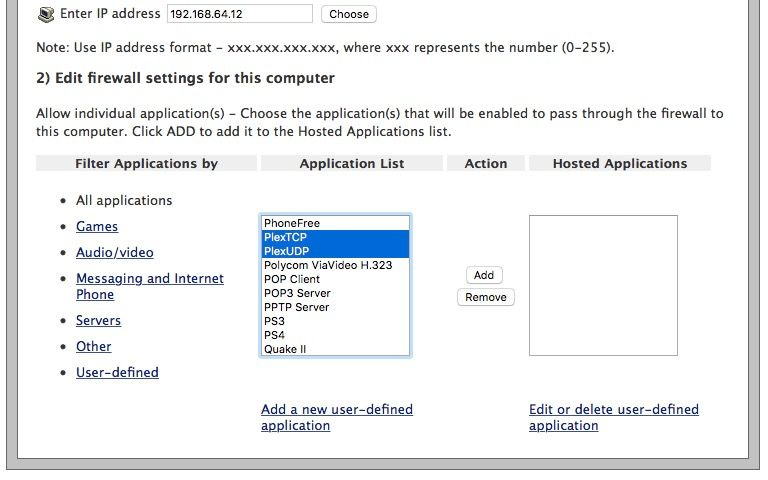
I have a list like that, but Plex or Plex IP isn’t listed. I had to add Plex under “Add a new user-defined application” when I got this AT&T gateway using port 32400.
@JasonNalley I discovered an interesting new wrinkle in my issue, so I started a new topic. Would you mind taking a look at my new post and seeing if you have any thoughts? Only accessible outside my network if I'm connected to VPN
Jason - I miss placed your address… I need to send the gift card…
Can you email me it when you have time.
todd dot vannote at gmail dot com
Thanks!
