Server Version#: DSM 7.2.2.72806 Update 4
Player Version#: 1.42.2.10156
<If providing server logs please do NOT turn on verbose logging, only debug logging should be enabled>
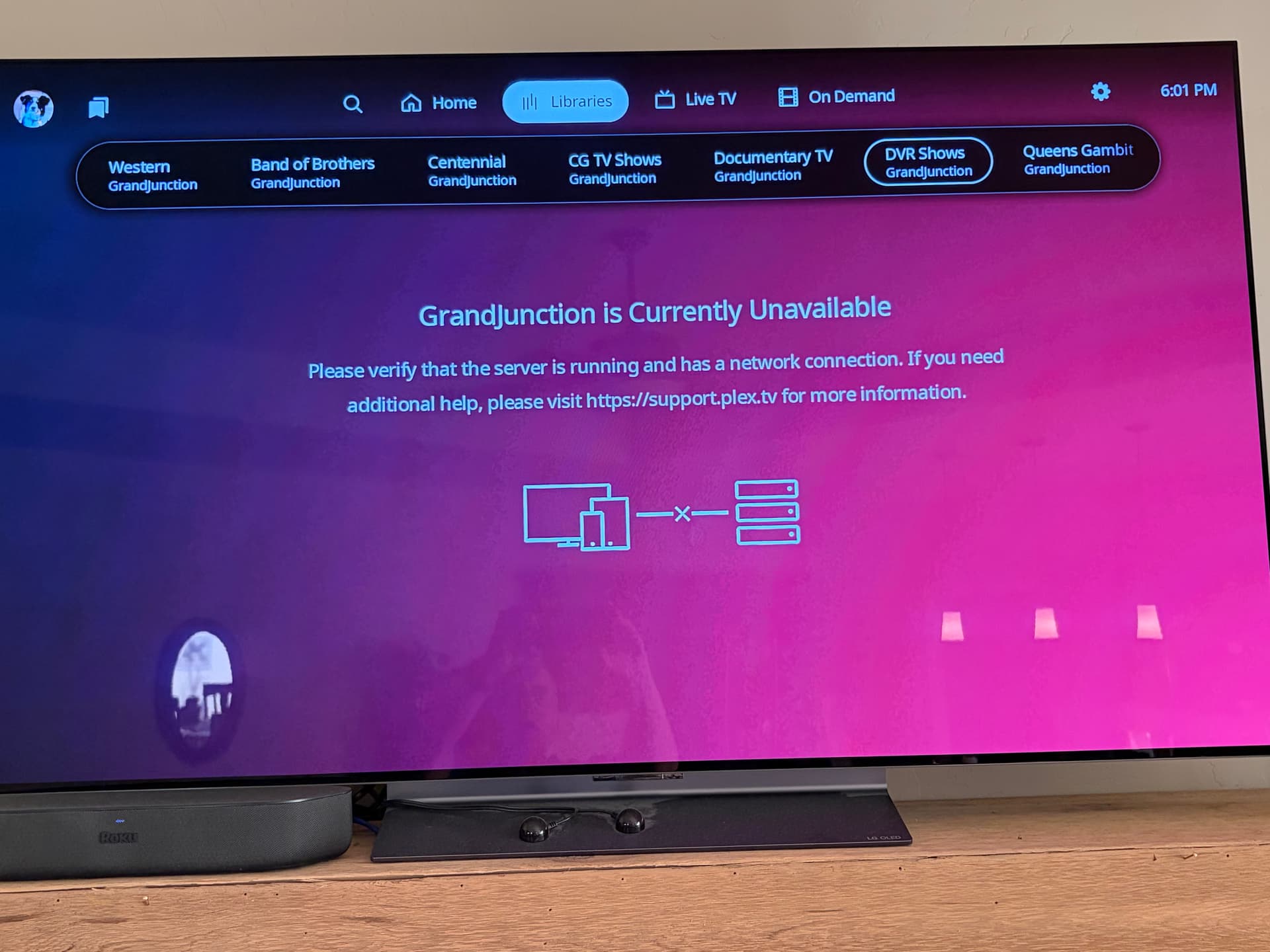
open I open Library I get the following screen Grandjuction is currently unavailable.
Reboot your Modem/Router and everything connected to it, including any wireless devices. That should clear any DNS cache corruption that may be causing your issue.
Replace NAS-IP-Address with the IP Address of your NAS. E.G. 192.168.0.24
Make sure you sign into Plex Web using your Plex account credentials then go to: Plex Settings > Server > General and make sure the Plex server on your NAS is Claimed.
Then restart your TV/Roku etc… and open the Plex app.
Fingers crossed, everything should be working now.
This only happens when something breaks the permissions in the PlexMediaServer shared folder ( My start scripts / installer doesn’t have permission in DSM 7 to fix it like it had in DSM 6)
/var/packages/PlexMediaServer/shares/PlexMediaServer is the volume independent path to the Plex Data Folder. It does not matter if it is on Volume 1, Volume 2, etc. That path will always be the same. Synology keeps track of it and adjusts as needed.
Not sure if that is just a copy/paste formatting issue, but the commands must be on separate lines.
#!/bin/sh
cd /var/packages/PlexMediaServer/shares/PlexMediaServer
chown -R PlexMediaServer:PlexMediaServer  AppData &
find AppData -type d -exec chmod 755 {} \; &
find AppData -type f -exec chmod 644 {} \; &
wait
Yes, they must be on separate lines as shown in the FAQ / How-To
The FAQ is written to be regular COPY/PASTE compatible.
(If you did ‘paste without formatting’ , you would end up with your results)