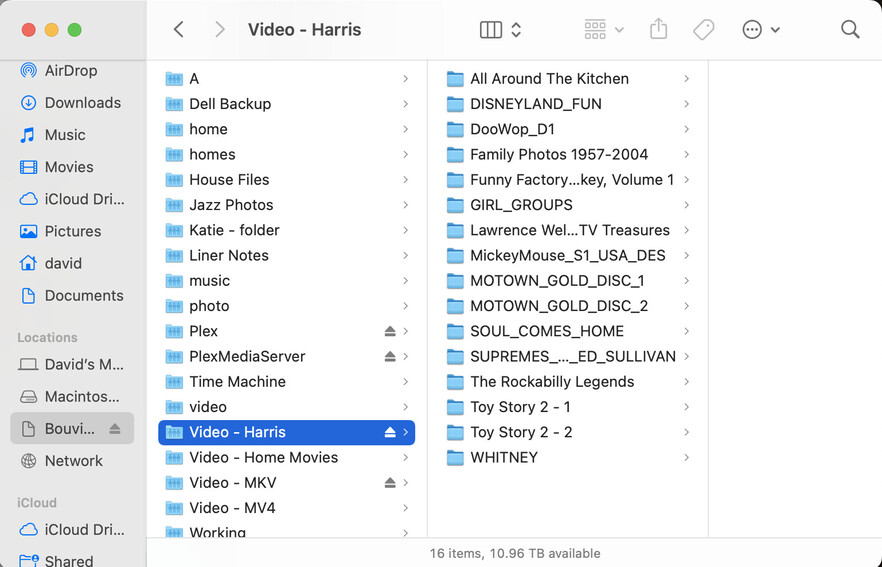
A drive on my NAS crashed and I needed to swap the drive and restore all my files from backup drives. That is now complete. I have one folder that I neglected to map for backup that I recreated and copied the videos from the DVDs. That too is now complete. However, I am unable to see the newly created folder in Plex.
Here is the mapped folder that was fully restored:
Have you checked the permissions actually match the requirements for DSM version installed on your NAS? They’re different with regards to the system user running the Plex Media Server… under DSM5/6 that should have been „plex“ while on DSM7 it’s „PlexMediaServer“
Just getting back into this after a few days away. While the open question of Plex and PlexMedia Server remain- my MKV files are visible while my Harris files are not, I went in to make the change today and see that I have both Plex and PlexMediaServer on my NAS under Shared Folders.
Plex is tiny (0.01 MB) so perhaps that is a legacy folder from earlier DSM versions that can be removed.
PlexMediaServer has all the permissions that I think are required to view the files, yet they are still not visible within Plex. Here are a few more screenshots:
Even with the permissions largely the same, the Harris folder does not show any content while all folders and content are visible in the MKV folder. Thoughts?
The issue isn’t about the Plex server directories existing. There’s a system user named PlexMediaServer which needs to be granted access to the Harris folder in order for Plex to see that media.
The user plex and the Plex shared folder are not used by Plex Media Server on DSM 7 systems. Both can be deleted or used for other purposes.
The shared folder PlexMediaServer is reserved for use by Plex. Do not place anything inside that folder. Do not modify permissions for that folder. This is new for DSM 7. It replaces the Plex shared folder used on DSM 6 systems.
On DSM 7 systems, Plex Media Server runs using the userid PlexMediaServer, which is a System Internal User, not a Local User. This is new for DSM 7. It replaces the plex userid used on DSM 6 systems.
As @tom80H mentions, the System Internal User PlexMediaServer needs at least read only permissions to the folders containing your media. See the FAQ entry linked earlier for instructions on granting PlexMediaServer access to your media.
Thanks to you and @tom80H for the guidance. After way to many attempts, I decided to remove and reload Plex. After doing so and giving permissions in DSM, all video folders are now visible