Your router will not stop you from getting full speed (unless you have some extremely old one). you should plug the computer into the router. and you should use the port forward setting in the router to point to your computer (which basically bypasses your routers firewall for the port Plex uses). If you have any QOS settings on router I would just disable it or if you can tell it to always allow full speed to your computer.
Your ISP I’m sure changes the IP semi regularly. Most ISPs do for residential accounts. Usually only businesses have a static external IP which they pay extra for.
It shouldn’t? But it does.I have tested the router back and forth. It is an old router, only Asus N300.
PC direct to modem: 260Mbps, the limit of my guaranteed speed of 250Mbps
Into the router: 100-150Mbps.
But why do I need to put my pc into my router when i don’t have to?
ALso, the router seems to have a limit of hard connections. If I put in 2 connections, the 2nd one will not be detected and drop. MY PC will give some sort of error message (forgot what it said) If i remove one and put the other, that one will work. So I spent all day and found out the ps4 will work , alone. THe PC will work , ALONE.
But this is a whole other can of worms. I need a better router actually as the Internet is upgrading speeds again to 400, but they haven’t given me better equipment and I paid for this myself.
Shouldn’t Plex work WITHOUT A router anyways? I’m using my disk directly attached to my PC, not networking. I should remove as many obstacles as possible, and not “ADD” onto things to troubleshoot, which I thought was a rule when building and troubleshooting pcs.
So now we’re only trouble shooting my PC and Plex, nothing more.
I know it shows your external IP but 99.99% of the world uses routers. Plex knows that is not a regular private IP address given by a router.
Anyway I would try https://ipaddress:32400/web (replace ipaddress with your IP that starts with 172) might try both http and https
Just for security in general I would go buy a new router that has gigabit ethernet. not sure if your computer has N wifi, but if that is the same model I was looking at, N speed with is better than the 10/100 ethernet on it. You basically have nothing between your computer and the rest of the world and can only rely on the windows firewall to protect you and I personally would not count on that.
OK did what u said. I copied that address into the web browser, then replaced the ipaddress with my own. It came to the Plex page, but the options are still not fixed. No where to add servers, hdds , NO add library menus …
My Internet provider has only 1 or 2 routers /modems I can possibly use thats compatible and I need to spend $200 + dollars, which I don’t have atm. Then, I still would need to upgrade the Modem as the service is changing again, more expensive to say the least… I will upgrade one day though. But It can’t be necessary for Plex, nothing else requires a router. (And my pc hasn’t been connected to any kind of router since the year 2000? No viruses really).
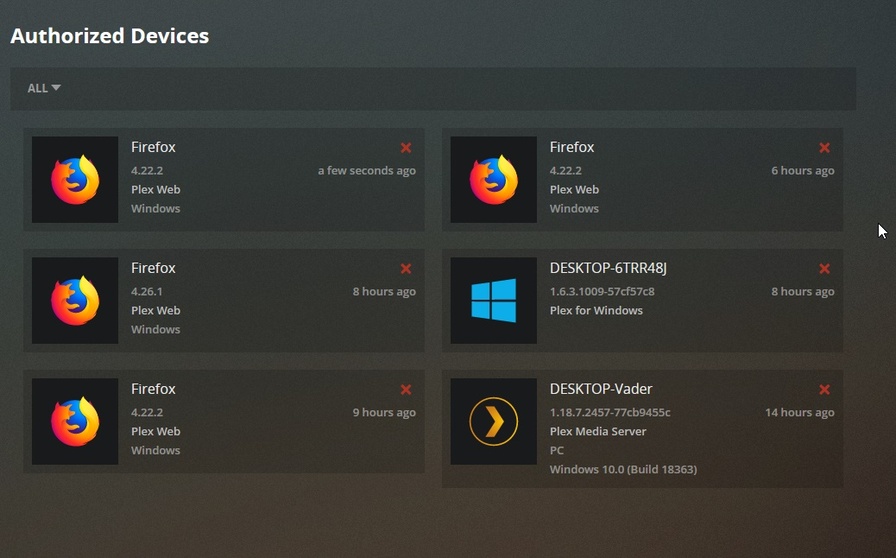
in the web app at http://127.0.0.1:32400/web if you go to Settings Authorized devices do you see your server there?
if you are using Chrome browser can you go to http://127.0.0.1:32400/web then right click on the page anywhere and choose inspect in the split window that opens choose Console then refresh the page. What this does is show all the things the page is loading and the connections the web app is trying to make. Copy what is there to a text file and message it to me
Firefox has the same sort of console. Right click anywhere on page, Choose Inspect element then in split window the opens choose Console. (Console is also in the Tools Menu under Web developer). then refresh or go to http://127.0.0.1:32400/web it will display things as the page loads
This is so strange. Do you have a smart phone? If so can you go to http://externalIP:32400/web on it. (don’t worry if it says insecure. just proceed to it anyway)
"This site can’t be reached
No option at the bottom to load/insecure. I know what that button looks like but it doesn’t exist on my phone, the browser is very limited.
Modem is ARRIS surfboard SBG 6580
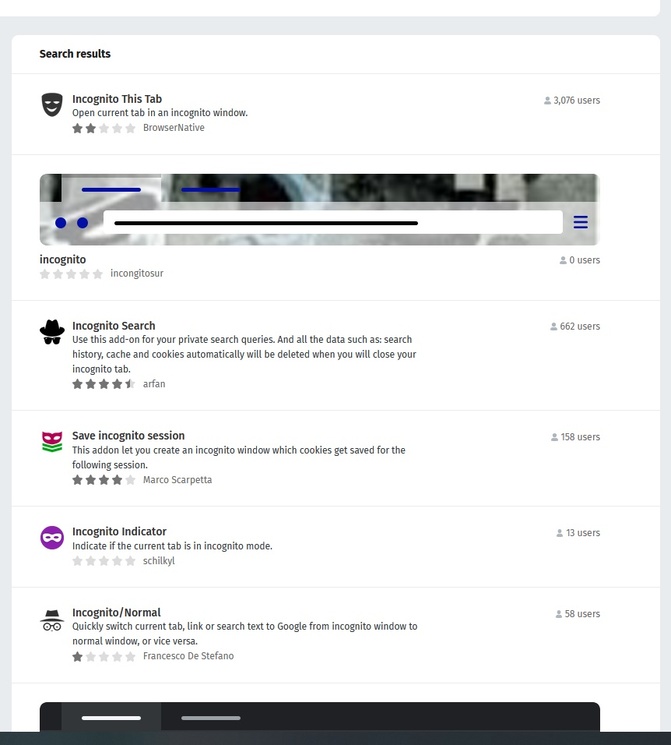
Whats a good incognito tab? I only found some with 1 star, the addon list is crap for FF, much worse than Chrome, so I never use addons.
it is built in chrome and Firefox. in Firefox from the file menu choose “New Private Window”.
what ISP do you have and what model modem is it? I was just thinking that it does not make sense you can plug both your router and the computer into it. ( I’ve also never heard of an ISP that won’t let you use whatever router you want)
Also your server logs show it signing itself in with your account when it starts up. which means you might not have cleared those things from the registry completely or did not restart server after you did. (best to do it when it is not running.)
OK, my phone browers (chrome and free ad blocker browser) can’t do incognito. However, I did do it with the PC here it still has NO access
Hmm. We’re having trouble finding that site.
We can’t connect to the server at external ip.
If that address is correct, here are three other things you can try:
Try again later.
Check your network connection.
If you are connected but behind a firewall, check that Firefox has permission to access the Web.
NO BUTTON To bypass
Actually, my ISP is Spectrum. I can use whatever router I want but I told u, I’m not using the router its not involved with my PC, but you keep mentioning my router?
My cable modem i already listed "ARRIS Surfboard SBG 6580 . And If i want to upgrade, I need like over $200 and they are limitd to what is compatible. Btw, their CS really sucks. You can’t just use a router or modem and plug and play. U have to call in and get a code for it. However, those idiots on the phone didn’t know anything about a code and put me through the ringer phone tag for 3 hours until i found someone who knew what to do.
Anyways forget my router man. There has to be bug issues where u gotta work out your software, as I’m not the only one here who has this issue. NO need to spend money and connect to a router for any reason right now. Anyways really appreciate the time you are spending!
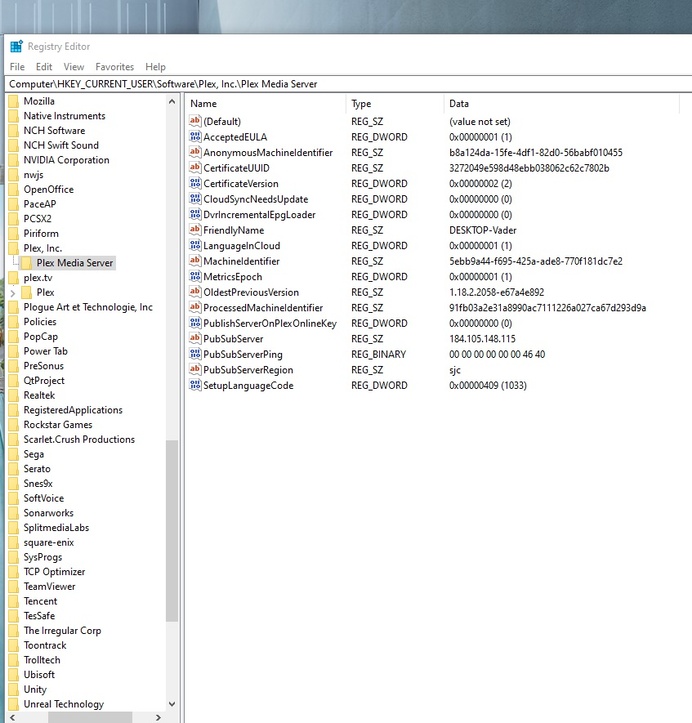
your server logs show it signing itself in with your account when it starts up. which means you might not have cleared those things from the registry completely or did not restart server after you did. (best to do it when it is not running)
Here’s my registry. Do you see anything else that I should delete? Did I miss something?
Anyways, i left my PC on overnight. I came back to my PC in the morning before leaving the house and noticed it said to “Claim server” in my Plex page. I did click the button but it said “could not claim server” Then the whole page reverted back to having no options on the page once more and we’re back to where we started.