@ [DaveBinM]
Can we get an update on whats going on? its been 2 weeks since the forced update … and still no live TV, which is the only reason I (and I’m sure others) have plex pass!
Will we be getting refunds since your not providing us what we are paying for?
I agree No Plex Support Feedback that there is a issue with Live TV with the latest Plex release and are they are working on a solution. Some people have reverted to an earlier version with success. We should not have to resort to uninstalling and reinstalling versions for PAID content.
Same problem here since being forced to change working DVR on 1st July…
I’m running it on a HP Gen8 Microserver
OS: Windows Server 2012 R2
Tuner: HDHomerun Quattro Tuner (Model: HDHR5-4DT, Firmware: 20190621)
Plex: Version 1.16.1.1291 and then 1.16.2.1297
I just upgraded to Version 1.16.2.1321 (07/18/2019) and the DVR channel setup keeps spinning like it has before. What I find different from earlier versions is that I have to type in the IP address for my HDHomerun Prime device. Earlier Plex versions found the device without requiring me to point to the device. After I enter the address I am able to continue and select my cable provider. Searching for channels worked but then when setup tries to load the channels and finalize setup the wheel keeps spinning.
I had this problem and tried a fix i found on another forum and it worked for me. The fix I am linking talks about version 1.16.0.1226 to version 1.16.1.1291, but mine was version 1.16.1.1291 to version 1.16.2.1321 and it worked great.
Same here … based upon the warnings, I was careful to delete the DVR before upgrading. Upgrade went w/out a hitch. Most of my scheduled recordings survived. A handful of my scheduled recordings needed to be recreated and I did come across a recurring new show that disappeared from my schedule until I changed it to include Repeats … sigh.
I was just looking back through this thread and had a little time this morning, so went through the thread chasfain linked and was able to get the DVR setup and working in sub 10 minutes.
Simply have the Plex Web Page/Client up and logged in, reboot the Plex Service (Or in my case the Docker), and as soon as it comes back up go to Settings > DVR and click Delete DVR (I rebooted the docker once more afterwards just to be sure, although it probably didn’t need to be done). Then re-setup and good to go
The same problem on version PMS 1.16.3.1402 with the DVBLogic tuner
TV Butler. I can’t add a DVR. I can’t go back to version 1.15.1 either. On Synology DS 918+, you cannot install an application earlier than the installed version. The Council Iconiic941 didn’t work either - no DVR after a reboot and delete nothing Dear developers please help, really looking forward to the fixes in the new release of PMS.


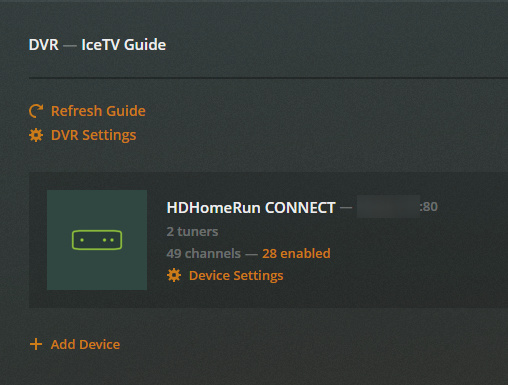


](https://imgur.com/RqBatWu!%5B%5D(upload://xmlgpiAHgUlGNgp81srb3sKzB17.png))