WTF Plex? Are you or are you not going to support Live TV going forward?
I understand that streaming is popular, but you need to take a look at the existing stuff as well.
Fix your app Plex. Live TV & DVR is a main selling point for Plex passes and having the functionality in such a vegetative state for so long in so many ways is misleading.
Unfortunately, Plex apparently doesn’t see the value in their Live TV feature. It is the entire reason I didn’t sign up for the lifetime membership, as I can’t see staying on this platform into 2022. I’m already looking at alternatives. Such a shame.
My issues, EPG issues/limitations, recordings are unreliable, you can’t override recordings (i.e., recording an old episode once when a show is set for new episodes only), inability to organize EPG with filters or favorites, and the list goes on.
1 Like
Any update? Would really like this fixed. I am on an older version that works but would eventually like to get an up-to-date version.
What’s really interesting to me here is that Plex staff members are replying to other threads in the Live TV forum. Are they ignoring this thread? Should we start tagging them in our responses?
1 Like
Well I tagged @Elan as his Chief Technology Officer, which should be lead engineering / technology. Another user stated he primarily only responds to Apple inquiries or Plex lab stuff, which sadly I find to be true. Scott the Chief Product Officer as far as I know doesn’t even interact with the community. There’s always been a breakdown in communication and tracking with bugs in the Plex ecosystem. That should be addressed by those two, but it has not been. Plex needs to make clear if they plan to support live TV and in what capacity? What is the status of this being resolved? Are we going to be looking at a hdhomerun connect for local channels and possibly Plex providing the premium channels for a fee since cable cards are going away? Why can one employee break live TV so bad with no oversight and then has the audacity not even to respond to us @cire12 ? Finally why is @DaveBinM overworked  ? This are some things I’d love answered!
With that said, it’s Sunday get out enjoy the day!
1 Like
We are aware of this issue and investigating. I believe this thread and other similar ones provide all the info we need, but I will let you know if there is anything else you can provide to help us get to the bottom of this. Thank you for your patience!
2 Likes
Although four months later, I do appreciate that it’s finally being addressed and looked into  !
!
Thanks Emily for confirming you are all still working on it!
Yes, thank you very much!!
Emily’s response sure looks familiar.
Almost like a canned reply that I see in the other threads on this subject.
Let me translate it for you.
We’ve seen the complaints.
Don’t bother to post logs and further info. We’re into streaming where we make money with each stream. You know, what all the cool kids are doing.
Keep believing a fix will appear.
2 Likes
@emilybersin are you actively looking at this, is it in a backlog, what’s the detailed story?
1 Like
Same issue here, how is this not fixed yet?
1 Like
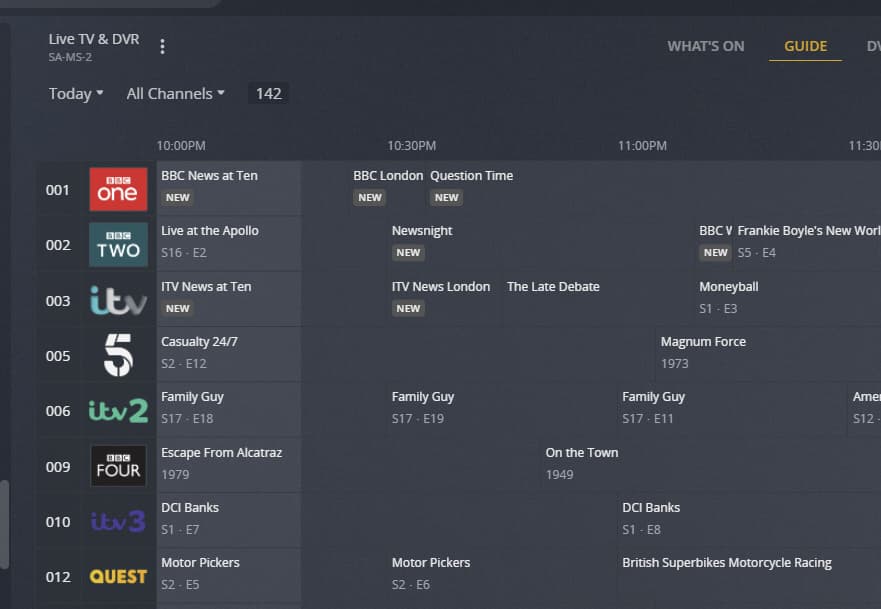
With regards to tuner disabled channels still showing up in the channel list and guide, I have gone through this and after disabling channels on the HD Homerun setup web page, and refreshing the Plex Media Server Guide, they do remain visible - however after performing a RESCAN in DVR Setup (Settings → Server → Manage → Live TV DVR Settings → clicking on “xxx enabled” and then RESCAN) the disabled channels got removed after the guide update completed
Screenshots
Disabled channels 4, 8 and 11 in HD Homerun Setup

Disabled channels still showing after EPG Refresh
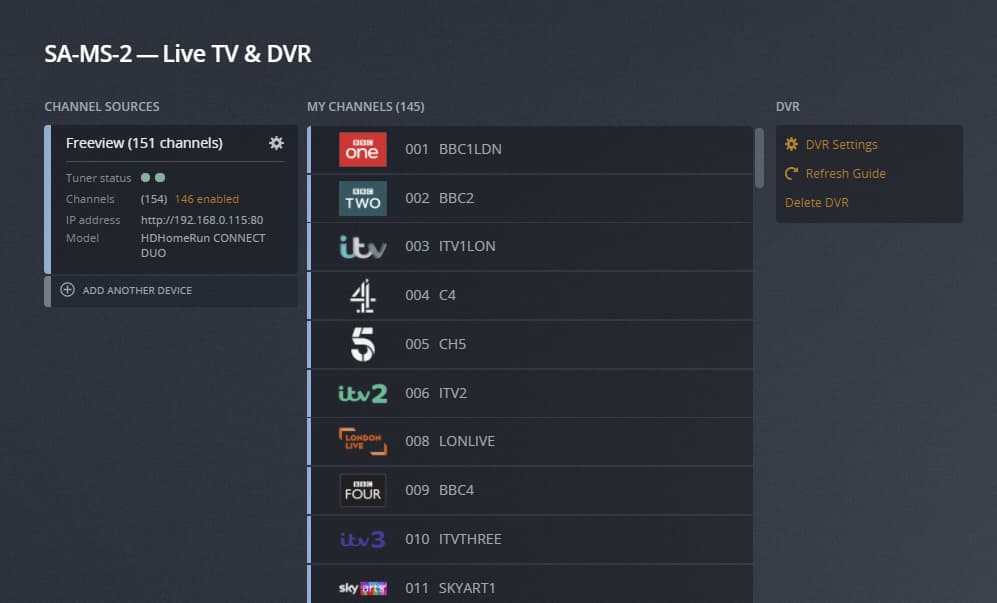

After RESCAN the disabled channels are no longer visible


The RESCAN Is done through this:
Clicking on “xxx enabled”

and then on “RESCAN”

If this is not working for you - please let me have screenshots and debug server logs captured after doing a RESCAN and the completion of the updates to the guide
Thank you very much for doing this. I’m not sure I’ll be able to test this weekend, I’m hoping sometime else can.
@sa2000 This method doesn’t change anything for me, and is something I’ve attempted when this issue was first logged.
Please see my server logs, time stamps approx 10:45 AM on Nov19, I ran a rescan as per your instructions.
Plex Media Server Logs_2021-11-19_11-24-27.zip (3.2 MB)
Afterward, at approx 11:00 on Nov19, I let the guide rebuild based on zip code 07724 .
The step you’re missing in your screenshots, is that yes, the guide looks fine on the DVR configuration page, no problem:
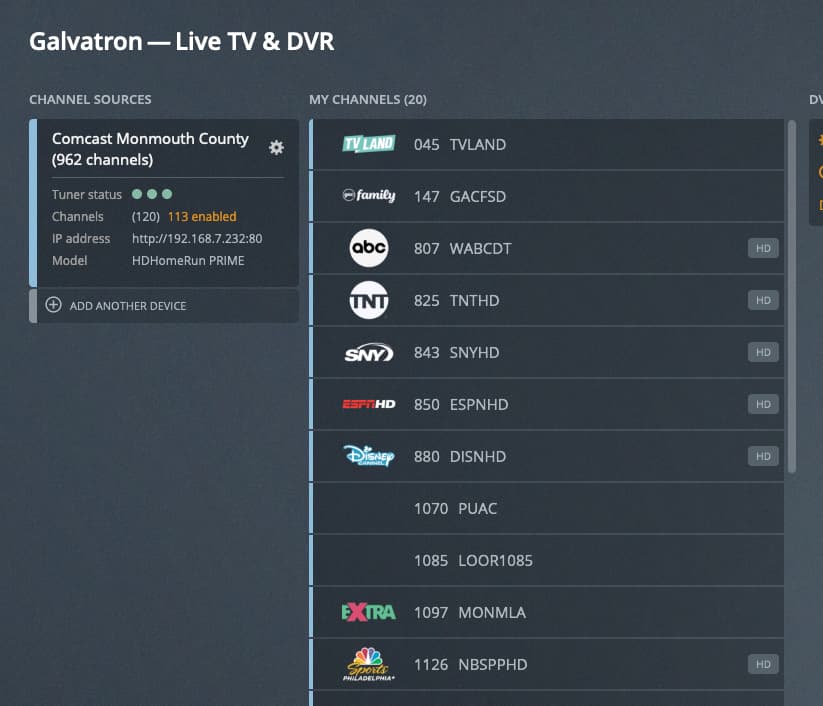
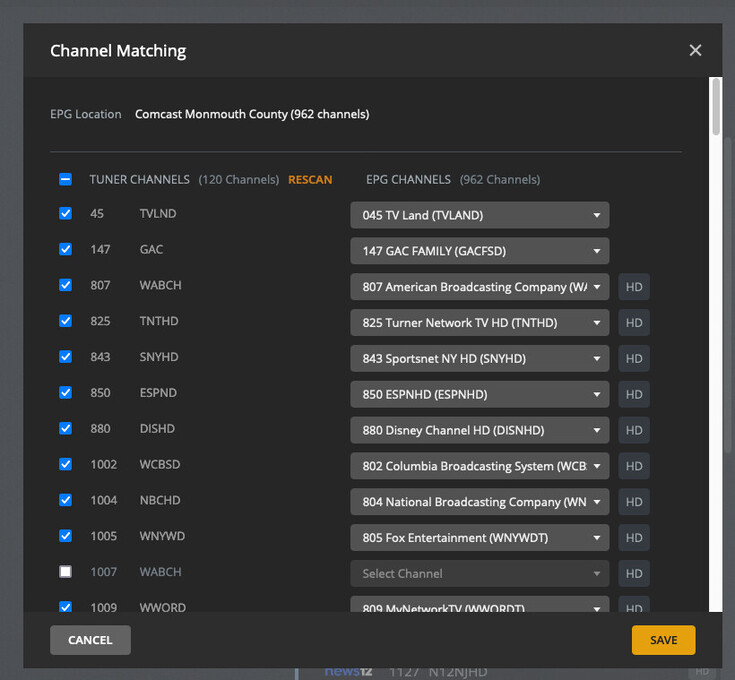
But go to the guide MENU, (The one displayed on the actual Plex CLIENTS) that’s a different story:
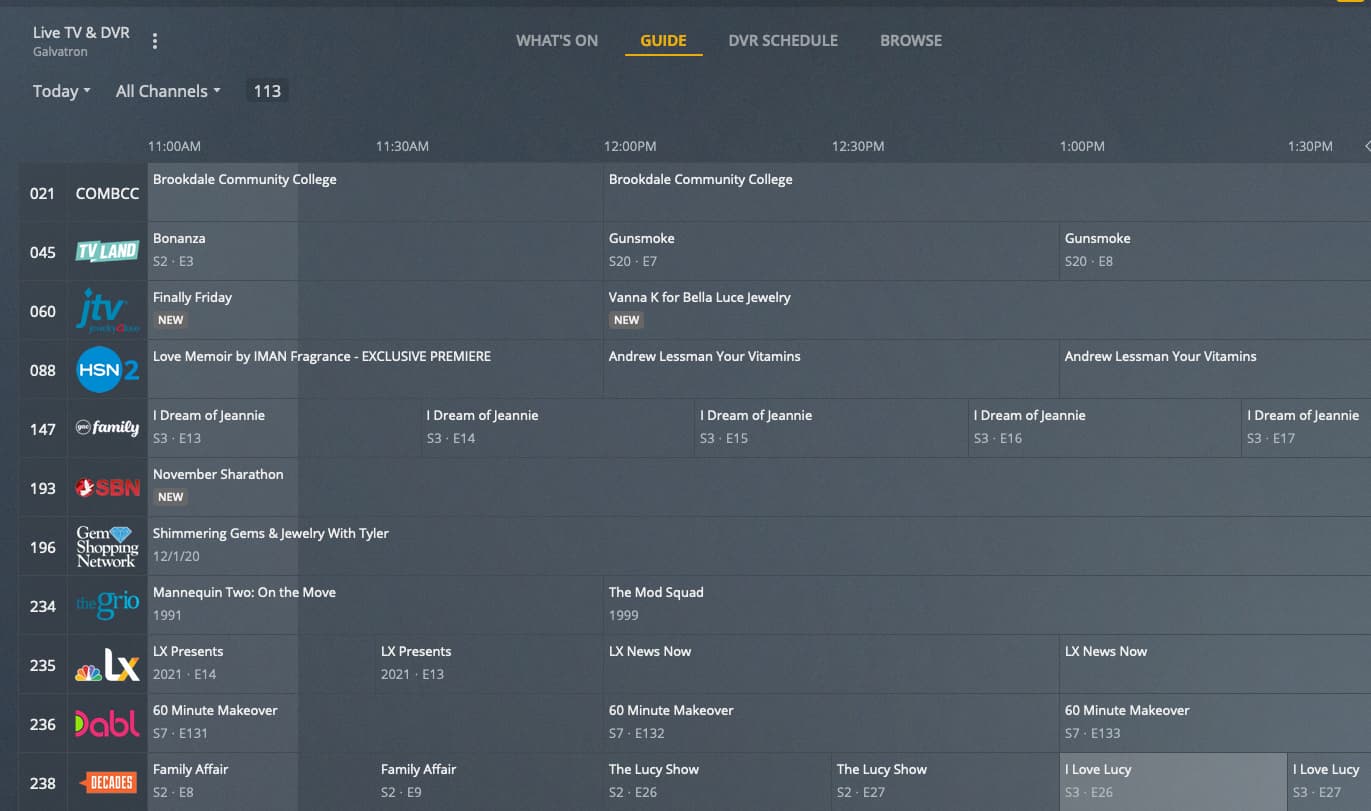

The problem here is that the client guide itself is displaying channels that 1) aren’t even discovered by the EPG scan to begin with, 2) disabled in the HDHomerun.
Even if this was a workaround, I’ve deleted this DVR and re-added it at least a dozen times over the last 4 months, so a re-scan shouldn’t be the solution. There shouldn’t be a need to deploy, scan, then immediately re-scan.
Please let me know what else you need to bring this to a solution.
1 Like
Thanks @dgarra !!
I see the same problem as @dgarra and I can’t even tune the wrongly-numbered channels. But it sure looks great in setup.
@sa2000 And also to add to that it’s placing the standard definition channel in the wrong spot. Example I have a channel that is 1550 Discovery Spanish SD but yet it places it in Channel 275 which is the standard definition discovery channel but for English. And I’m unable to change the Spanish channel to the correct spot in the epg.
Can you please tell me which Plex client apps (and versions) the disabled channels continue to show on ?
I have tested it with Plex Web app, Plex for iOS, Plex for Roku and Plex for Android - only the Android app continued to show the disabled channels in the guide - but a force stop of the app in Application Manager and re-launch fixed that
Device on IP 192.168.1.2 was requesting the guide
May need client logs to look further
