Server Version#: DSM 7.2-64570 Update 3
Player Version#: Version 1.32.5.7349
<If providing server logs please do NOT turn on verbose logging, only debug logging should be enabled>
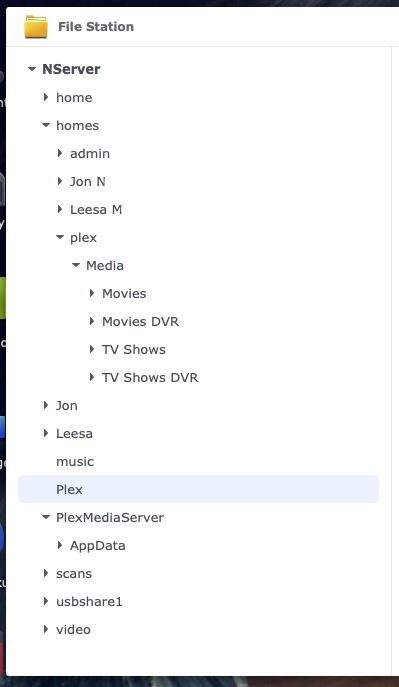
When I run the Plex Media Server directly off of the Synology DS218+ NAS where it is installed, it works fine. Plex also runs fine from my iPAD as well as my iPhone. I have 5 tv’s in my home and each has Fire TV 4K hooked up to them. However, when I run Plex off of my TV’s, I get this message/error that it basically can’t find the server. I’ve been beating my brain to fix this but thus far have been thwarted. The only thing I can come up with is my media folder buried too deeply in the folder tree? At one time, somebody told me it should have its own folder out in the open rather than stick it in my “Homes” folder. If I was to simply move it out of the Homes folder into it’s own folder, what ramifications would that have and how difficult would that move be? Thank you for any help you can be. I’m not very well-versed in Plex and wish I could solve these on my own, but I’m grateful for outside help!
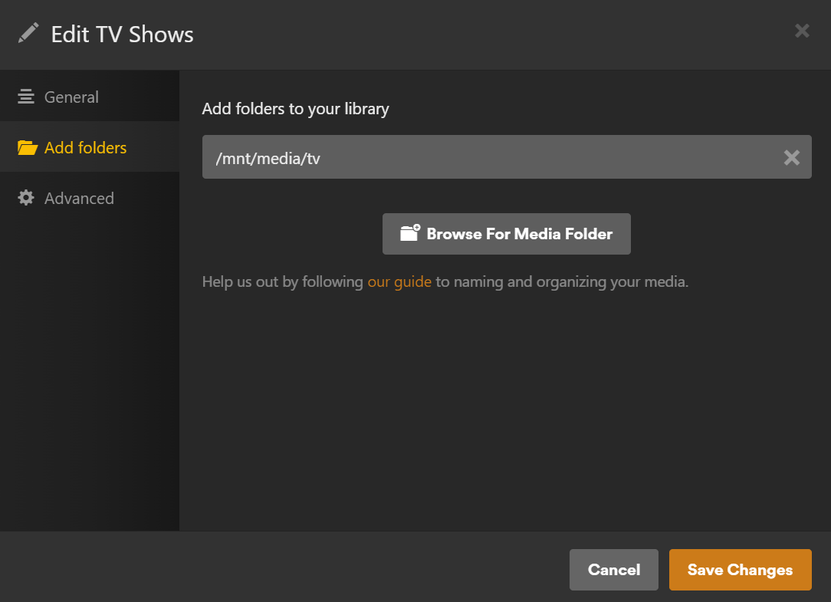
Structure looks good provided PMS is given the proper Top Directory (which is down deep) to start with.
HOWEVER, I would not put media in your “homes” directory. (Permissions problems will ensue)
CREATE a shared folder for your media with subfolders -or- a shared folder for each type (movies, tv, music, photos, videos) and then move the content there.
Managing permissions will be MUCH easier.
INDIRECT means the network ports aren’t opened.
LAN ports for anything on your home network
Remote Access enabled but lost connection and “Relay” mode has taken over (2 Mbps limit)
I took your advice and setup my media with separate shared folders not embedded in another folder. After I did that and transferred the media and did a scan it did not show any media. Do you have any idea where I went wrong?
I just did that with the separate shared directories - TV Shows, TV Shows DVR, Movies, Movies DVR
I attempted a scan and got the same error. I will go into my Package Center and log out of PMS there and then log back into it and attempt a scan and see if that made any difference. Also, is there some toggle in PMS that enables something?
Chuck, it is now working off my computer monitor!!! I’m running the PMS off the Synology NAS. So, now I will try my iPAD and iPhone and then I will move to my TV sets.
It works off my NAS as PMS. It works off iPad and iPhone somewhat quirky and I’m having problems on 5 TV’s that I run Fire Stick 4K on. Here are two screens shot off a tv.
The box that says Learn more. Got it is a screenshot off my phone.
Maybe you know what’s going on here. I logged out on my computer from PMS. I then attempted to open the web version on my computer and received this message. I went in and looked at my password and login folder with Apple. It showed two separate logins and passwords. One was a Username that seems to work find in PMS. The other is my email that I originally downloaded Plex with a long time ago. The password associated with the email login does not work. I’m as confused now as much as ever.
This photo attached is when I attempted to login to web-based Plex using my username and password that works fine in PMS. It doesn’t function properly in Plex for web. It does, however work fine in PMS.
Uninstall the package USING:
– Uninstall only (Keep all files for future installation)
Reinstall the same SPK file again – HOWEVER
– New or Lost servers option (Plex Claim Token method)
– Click the blue hyperlink to get a claim token
– COPY the claim-xxxxx token from your browser
– PASTE the token in the box on the installation page
– Click NEXT NEXT DONE and let it begin installing
Installation will take a few seconds longer than normal. This is expected.
The installer and plex.tv are getting you new server credentials.
When installation completes, if all went well, you will see your Plex Username and plex email address.
The server is now properly claimed to your account. You will no longer see "Not Authorized:
Indirect can occur in two ways: Local or Remote
If local – Are you using the Synology Firewall ?
If remote (Remote Access) – Did you configure port forwarding ?
I’m trying to gather the information you need. I have a Starlink Dish and that is where my internet comes from. I have a Starlink router that I’ve put three google nest routers on them to get adequate coverage throughout my house. I’m trying to find out right now if the Starlink router has been disabled or if I’m running two networks. As soon as I find out that answer I will get back to you. Thanks for your patience!
Starlink uses CGNAT. There exists: your LAN IP → Star LInk IP → Real IP.
Using your computer,
MTR / traceroute to plex.tv - This confirms connectivity
Confirm the PMS server is signed into your account.
If your computer and Syno are on the same subnet and your computer can open https://app.plex.tv/desktop then everything should be working unless there is internal DB or permission issue.
“Failed to find agent” is common when the PlexMediaServer shared folder permissions have been damaged.
“Waited X seconds for a busy DB” occurs when the DB is super fragmented. This will cause cascade failures – including not able to retrieve metadata
I have a tool which will help you optimize the DB (from the SSH/Putty shell into the Syno) if you wish it.
Chuck, apparently I have not bypassed my Starlink router so I must have at least two networks. First thing tomorrow is I will bypass the Starlink router leaving the Google nest routers being the only ones. I will contact Google support and see if two of the nest routers can be configured to be access points instead of functional routers. I will let you know if that had an effect on Plex Media Server.
Chuck, I bypassed my Starlink router so that just my 3 piece mesh system is working. I then deleted the Fire Stick Plex app. Then I restarted the Fire Stick app. I then re-installed the Fire Stick Plex app and tried running it and it is working fine. Thank you so much for your help throughout this process. I’ve been without a working Plex for over a month and you never realize how much you miss it after it is working correctly.
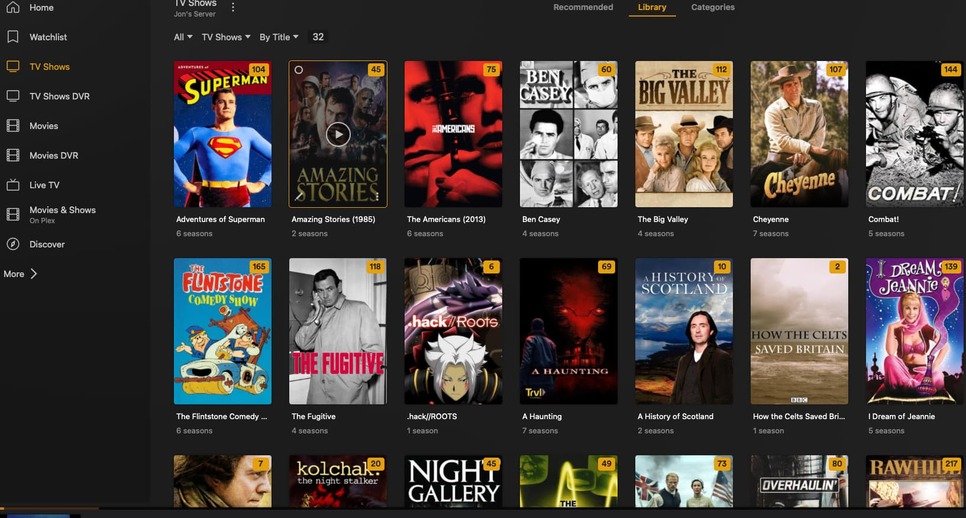
I bypassed my Starlink router so that the only working router now is the 3 mesh router. I then deleted Plex from my Fire Stick 4K. Then I restarted the Fire Stick. Then I reinstalled Plex and it is functioning correctly now! Thanks so much for the help you gave me. I have been without a working Plex for at least a month and now it is working. I have a humble little setup, but it serves my needs fine. I have slightly over 100 movies and 32 tv series. It is just right for me. Have a great day!