Regardless I don’t think it will help a lot, the issue is there as multiple G4 users have verified by now. Even if I run this file and melts the player it will either reaffirm the already existing problem which triggers with easier to run files or won’t run well at all for various reasons if it’s hard to run to begin with.
Plex can reach lg faster than simple consumers and raise the issue with them , while it’s a problem that affects other apps as well it’s a problem that warrants plex app useless for a big number of it’s users. Meaning that plex is directly affected by this on multiple levels including the financial one.
So we would hugely appreciate it if you guys notify LG about this and push for a fix.
I’ll ask the dev team but I don’t if they have any support contacts or not.
It makes sense they should have something but it might be the “android” level support.
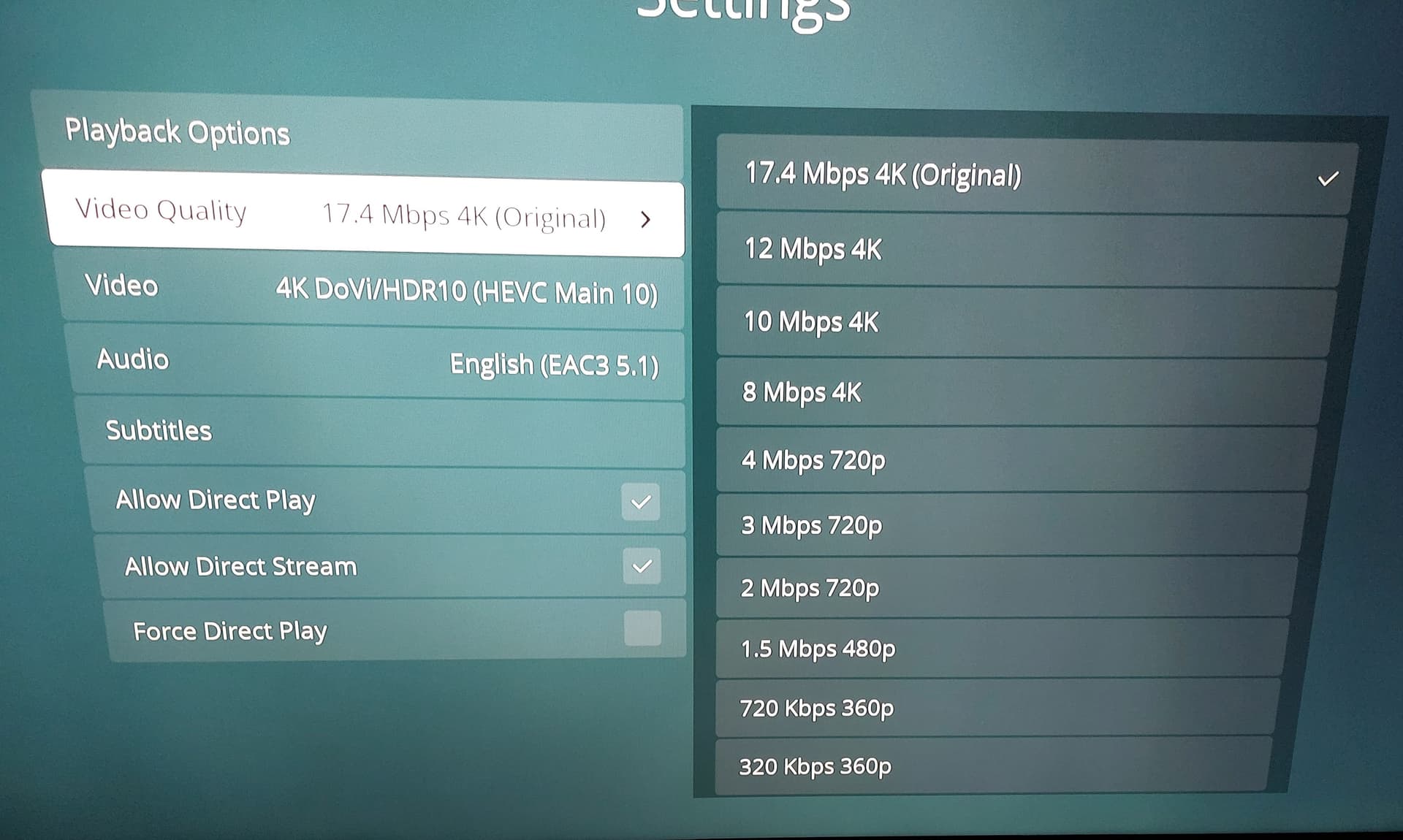
Updated my OLED65G4PSA to 33.21.85 and I have the same issues with 4k DoVi files only. They play fine for a few minutes, then the audio skips and video buffers and then it restarts. Had to play these files in 720p to be able to watch the entire file. What a joke!
TV Model: LG 65NANO81 webOS Version: 25 (10.2.0-3702)
Hi everyone,
I wanted to share an issue I experienced with the Plex app on my LG TV and how I managed to fix it, in case it helps someone else.
Up until yesterday, I kept getting the message “This app will now restart to free up more memory” whenever I tried watching content through Plex. Specifically, I was watching Alien Earth in .mkv format (as shown in the first screenshot). After about 10 to 15 minutes—sometimes even sooner—the Plex app would crash and restart.
To troubleshoot, I used MKVToolNix to inspect the mkv file and compared it with other mkv files that played fine on Plex without any crashes. The key difference I noticed was that the problematic file had 13 audio tracks and 33 subtitle tracks, whereas the files that worked normally had far fewer.
I used MKVToolNix to:
Remove all audio tracks except the main one
Delete all subtitle tracks
Add only the subtitles I needed
Save the file as a new mkv
After doing this, the file played perfectly with no crashes or restarts.
So if anyone else is having similar issues, I recommend checking the number of audio and subtitle tracks in your mkv files—removing the unnecessary ones solved the problem for me.
Thanks for the information but this is not a fix, it’s a workaround at best. Some people have huge collections and libraries, they can’t do this for every single file they have.
The same files were playing perfectly on webos 2024. Please everyone report the issue with LG so they will issue a fix.
Normally Titles that have so many audio tracks and subtitles are 4K content or content that are large in size. There is no need to fret with sizeable collections as filtering the constraints will resolve the task requirements.
Trying that right now will get back soon with results.
Update : this indeed seems to fix the issue, I got a frame drop here and there but nothing extreme. Normally the same file was breaking the player around 20 minute mark, now it reached 40+ and I stopped it (file was 1 hour and 10 minutes). Again I still believe that this is not a fix but a workaround, LG still needs to address this issue, same exact files were playing with absolutely no problem on webos 2024.
While I’m “Old School” in this, I will share my thoughts for folks to consider and implement if they deem appropriate.
We ran into this problem with the older Samsung models.
28 subtitle tracks worked. 29+ failed. It was a curation problem.
I think it was eventually solved but most found curation to be the better solution as it avoided audio/video/subtitle sync problems as well by reducing the sheer data being sent.
Media curation really is your (server admin’s) responsibility.
Downloading “whatever you can get” and expecting perfect playback is like throwing eggs at the wall and expecting them to stick (yes, I’ll upset folks)
That said,
Newer TVs have “all the new built-in features” which compete for that limited memory.
With razor-thin profit margins in the TV market, they’re going to keep that memory at a BARE minimum.
Sending a “Full loaded” video file to the TV and expecting it to do all the remuxing (filtering) work in that limited RAM is really asking a lot (too much, imho)
When you buy as TV, do you buy it because of the image quality or buy it because of the features ? I bought mine because of the image quality. I let the set-top box do the work. (Set top box has 3+ GB of RAM)
As for Curation, I will offer this.
1, Dependencies: bash, mkvmerge, jq
3. Just enough shell scripting skills to put this into a format which works for you.
4. This script is easily customizable to include other languages as you need
CleanMovie function for script
I want English language audio, Forced English subtitles and chapter markers
I want the ability to add additional languages should family/friend request them as well (mostly German for my family)
CleanMovie() {

  # Script to process an MKV file: select video track (und or eng), English audio tracks, forced English subtitles, strip other subtitles

  # Check if an input file is provided
  if [ $# -ne 1 ]; then
    WriteLog "Usage: $0 input.mkv"
    return 1
  fi

  InputFile="$1"
  TempFile="$TempDir/temp-Movie.mkv"
  ExitCode=0

  # Check if input file exists
  if [ ! -f "$InputFile" ]; then
    WriteLog "Error: Input file '$InputFile' does not exist."
    return 1
  fi

  # Check if mkvmerge is installed
  if ! command -v mkvmerge &> /dev/null; then
    WriteLog "Error: mkvmerge (MKVToolNix) is not installed. Please install MKVToolNix."
    return 1
  fi

  # Check if jq is installed
  if ! command -v jq &> /dev/null; then
    WriteLog "Error: jq is not installed. Please install jq to parse JSON."
    return 1
  fi

  # Get track information in JSON format
  TrackInfo=$(mkvmerge -J "$InputFile" 2>/dev/null)
  if [ $? -ne 0 ]; then
    echo "Error: Failed to read track information from '$InputFile'. Is it a valid MKV file?" >> $Logfile
    return 1
  fi

  # Initialize arrays for track selection
  VideoTracks=()
  AudioTracks=()
  SubtitleTracks=()
  TrackOrder=()

  # Parse tracks using jq
  while IFS= read -r track; do
    TrackID=$(echo "$track" | jq -r '.id')
    TrackType=$(echo "$track" | jq -r '.type')
    TrackLang=$(echo "$track" | jq -r '.properties.language')
    TrackForced=$(echo "$track" | jq -r '.properties.forced_track')

    case "$TrackType" in
      "video")
        # Select video track if language is 'und' or 'eng'
        if [ "$TrackLang" = "und" ] || [ "$TrackLang" = "eng" ]; then
          VideoTracks+=("$TrackID")
          TrackOrder+=("0:$TrackID")
        fi
        ;;

      "audio")
        # Select audio track if language is 'eng'
        if [[ "$TrackLang" =~ ^[eE][nN] ]]; then
          AudioTracks+=("$TrackID")
          TrackOrder+=("0:$TrackID")
        fi
        ;;

      "subtitles")
        # Select subtitle track if language is 'eng'(or close enough) and forced is true
        if  [[ "$TrackLang" =~ ^[eE][nN] ]] && [ "$TrackForced" = "true" ]; then
          SubtitleTracks+=("$TrackID")
          TrackOrder+=("0:$TrackID")
        fi
        ;;
    esac
  done < <(echo "$TrackInfo" | jq -c '.tracks[]')

  # Check if we have a video track
  if [ ${#VideoTracks[@]} -eq 0 ]; then
    echo "Error: No video track with language 'und' or 'eng' found in '$InputFile'." >> $Logfile
    return 1
  fi

  # Warn if no English audio tracks are found
  if [ ${#AudioTracks[@]} -eq 0 ]; then
    echo "Warning: No English audio tracks ('eng') found. Output will contain no audio tracks." >> $Logfile
    return 1    # Reject this Movie
  fi

  # Build mkvmerge command
  MergeCmd=("mkvmerge" "-o" "$TempFile")

  # Add video tracks
  if [ ${#VideoTracks[@]} -gt 0 ]; then
    VideoTracks_STR=$(IFS=,; echo "${VideoTracks[*]}")
    MergeCmd+=("--video-tracks" "$VideoTracks_STR")
  fi

  # Add audio tracks (if any)
  if [ ${#AudioTracks[@]} -gt 0 ]; then
    AUDIO_TRACKS_STR=$(IFS=,; echo "${AudioTracks[*]}")
    MergeCmd+=("--audio-tracks" "$AUDIO_TRACKS_STR")
  else
    MergeCmd+=("--no-audio")
  fi

  # Add forced English subtitle tracks (if any)
  if [ ${#SubtitleTracks[@]} -gt 0 ]; then
    SubtitleTracks_STR=$(IFS=,; echo "${SubtitleTracks[*]}")
    MergeCmd+=("--subtitle-tracks" "$SubtitleTracks_STR")
  else
    MergeCmd+=("--no-subtitles")
  fi

  # Add track order
  if [ ${#TrackOrder[@]} -gt 0 ]; then
    TrackOrder_STR=$(IFS=,; echo "${TrackOrder[*]}")
    MergeCmd+=("--track-order" "$TrackOrder_STR")
  fi

  # Remember to strip global tags
  MergeCmd+=("--no-global-tags" "--disable-track-statistics-tags" "--no-attachments")

  # Add input file
  MergeCmd+=("$InputFile")

  # Print the command for debugging
  #echo "Running command: ${MergeCmd[*]}" >> $Logfile

  # Execute mkvmerge
  "${MergeCmd[@]}"
  ExitCode=$?

  # Check if mkvmerge succeeded
  if [ $ExitCode -ne 0 ]; then
    echo "Error: mkvmerge failed '$Movie' with exit code $ExitCode." >> $Logfile
    rm -f "$TempFile"
    return $ExitCode
  fi

  # Verify output file
  if [ -f "$TempFile" ]; then
    echo "Verifying output tracks:"
    mkvmerge -i "$TempFile"
    ExitCode=$?
  fi

  return $ExitCode

}
The body of the script handles the final disposition of the mkvmerge run on the input file
  echo  $(date) Cleaning: \"$Movie\" >> ${Logfile}
  rm -f $TempDir/temp-Movie.mkv
#  mkvmerge -o "$TempDir/temp-Movie.mkv" -M -S --no-global-tags --disable-track-statistics-tags "$Movie"
#  mkvmerge -o $TempDir/temp-Movie.mkv -M --no-global-tags --disable-track-statistics-tags "$Movie"

  # Clean this "Movie file"  (whatever it might be)
  CleanMovie "$Movie"
  Result=$?

  # Check the results,  discard if errors,  keep if good
  if [ $Result -ne 0 ]; then
    echo $(date) Bad file: Error \($Result\) \"$Movie\" >> ${Logfile}
    rm -f "$TempFile"
    exit 1

  else
    echo $(date) Keeping:  \"$Movie\" >> ${Logfile}
    mkvpropedit -s title= "$TempFile"
    mkvpropedit --edit track:a1 --set language=eng --edit track:v1 --set language=eng "$TempFile"
    mv -f "$TempFile" "$Movie"
    rm -f "$TempFile"

    exit 0
  fi
While I personally understand your point I couldn’t disagree more. Sure tvs are light on the memory side maybe webos24 was less demanding than webos25 so now these problems occur. It’s not the consumer’s fault that something was working before and now it’s broken. People buy a product for it’s combined value, not just because X or Y.
The logic is simple, I bought it because it can do X things for example I went for g4 instead of the g5 cause of dts support on g4 and not on the g5 on top of the other things. Sure g5 is better in some other things that I do not deem as important as this. It’s right there on the spec sheet. Does it say somewhere that I cannot run files that are supported codec wise but have more than 28 subtitles? No. So what if lg said screw it let’s release an update that botches dts support from the g4? Should I diss out 280€ and buy an nvidia shield and get it over with or demand from the company I paid good money for their top of the line product to fix their damn product? You bet your ass I will be calling them every single day and demand a fix.
The vast majority of people cannot even comprehend what you are writing let aside actually do what you are suggesting. We are not all technically savvy.
I totally agree it’s not the consumers fault , not in the slightest.
Since I don’t subscribe to the Netflix or other streaming services, I must ask…
Do those streaming services send you a video stream plus all the audio + subtitle streams? Last I looked/read at my Amazon prime, I only got English and a with/without subtitles option . (This was several years ago)
So now I ask what I think is a fair question –
We media server types are the exception — By sending multiple audio and a full load of subtitle tracks to a TV expecting too much of it (exceeding it’s intended usage ) ?
If we’re not, then whose fault is it? Is it Plex because the TV can’t handle it?
As for that script work, I’ll mention *arr. If that makes sense to you, then how to use what I’ve shared should become obvious.
I’m definitely keeping my Apple Tv 4K with( New Experience Plex app) which I still monitor my Movie collection additions. Namely unwanted subs using MKVToolNix, checking Flags for Forced English subs, unwanted File naming. It is all in the cause of Administration.
In my tools, that function is named CleanEpisode. I named it CleanMovie only for context here.
I rip my movies from the discs manually but do use the *arr utilities for OTA television.
It was my goal to write one filter which works for everything. As it stands now, that’s what I have. If I get something unusable, it’s rejected. Anything with too much in it gets trimmed down automatically to match my UNK/ENG, ENG, Forced ENG specs. No muss No Fuss.
I had shared it here because I felt folks playing at this level should be able to curate their own media and, if by chance they have some tech skills, be able to take it that little bit further and be done and be free of TV dependencies/limitations … but that’s just the ‘old fart’ in me showing
So from a maybe not so old fart I hear you, i’m from a self taught enthusiast avenue unlike yourself a professional which I view this as a possible learning possibility. I thank you for your advice and I am going to research it some, hopefully it will be useful in my use case.
Looks like I’m going to get an NVIDIA Shield Pro for Plex and other steaming apps. All my streaming apps have slight skips every 4-5mins. Bloody annoying


 Fart left out.