replying to myself, it seems the epg for HD-only channels is flagging all content as SD.
going to try switching my dvr options to prefer HD and hardcode channels as the interim, but it’s a pain and removes a lot of the scheduling smarts was getting in terms of tuner balancing.
sounds like plex is mostly aware, hope it is resolved soon.
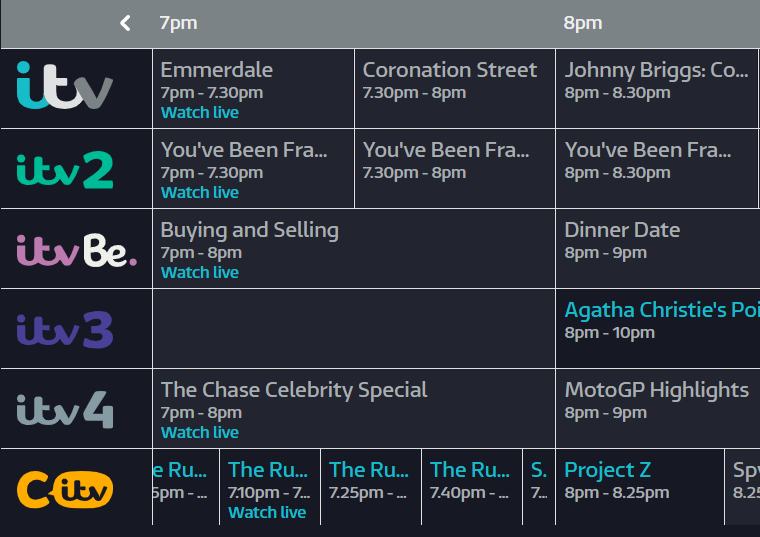
I’d not been paying close attention to the logos, so don’t know when this started happening, but I just noticed that the Sony Movies Classic channel is showing this logo:
This may be one of those channels which temporarily rebrands going up to Christmas, but it shouldn’t be showing that logo now.
I’ve submitted a logo to GN for this channel, as well as a completely updated logo pack to update old ITV versions (color scheme or the old “3D” versions). I can’t tell you when they’ll have it updated but hopefully soon.
UPDATE: HD Recordings & “HD Channels Only” Guide Filter
Failed HD Recordings
A metadata change, scheduled to land tomorrow, will resolve the HD recording issues that users have been reporting. Scheduled recordings will function as expected once the change has taken effect and your PMS has performed its guide update.
HD Channels Only & Unknown Airings
The issue with the guide completely losing its mind when you attempt to filter by HD Channels Only will require a code change to resolve. We’re trying to get this into the next release, which would be 4.55 for web and 1.23.0 for PMS, but I can’t promise that.
I can see the HD filter issues has appeared in the PLEX web 4.54.5 release notes…
Edit: Oh spoke too soon. Just tried it and now loads of additional non-HD channels have appeared including 001, 002, 003, 004 etc!!! 1 step forward 2 back.
Yeah I’ve noticed this as well. It doesn’t affect any recordings or identifying which programs are HD when clicking into the channel but the filtering is still shot!
Just a quick reminder guys, the recording fix lands tomorrow (well, today I guess - I should go to bed) the filtering issue is slated for web 4.55 (probably next week) and PMS 1.23.0.
EDIT: I spoke too soon, they did get the fix into 4.54.5 (which we didn’t think was going to happen in time). So obviously we still have an issue. Is the Unknown Airing issue resolved for you?
No, nothing is fixed.
We now have airings showing when you select HD Channels Only but its bundled loads of SD channels into the filtered list too so althought we now have content for the HSD channels we now no longer have HD filtered channels
Back to the drawing board im afraid lol
I will try and force a recording using require HD and see how that works
Right I’ve set a programme to record on Sky Sports F1 HD and required HD Only so we should see if it is picking it up as an HD programme or not.
It might be helpful if the guide actually gave us more info on the programme such as SD/HD/UHD, Mono/Stereo/5.1/7.1/etc, subtitles, sign language, audio description etc. All the things you would expect from a TV guide
So just seen that the recording i set failed straight away with a transcoder error.
Modified recording to Prefer HD and its started recording fine now so looks like all issues are still there, just been masked behind the guide displaying all channels as HD lol
The only thing broken on my side is the filtering of the guide where it now has all the EPG information but also lists non HD channels like others are saying. However, all shows with “prefer HD” are set to record from the HD channel. So big improvement just the filtering stage for me.