Hi - I’m afraid STV is still showing ITV London (I have done a full refresh)

Thank you for the feedback. I will create a DVR with an EH1 post code and check the data and pass on to our provider
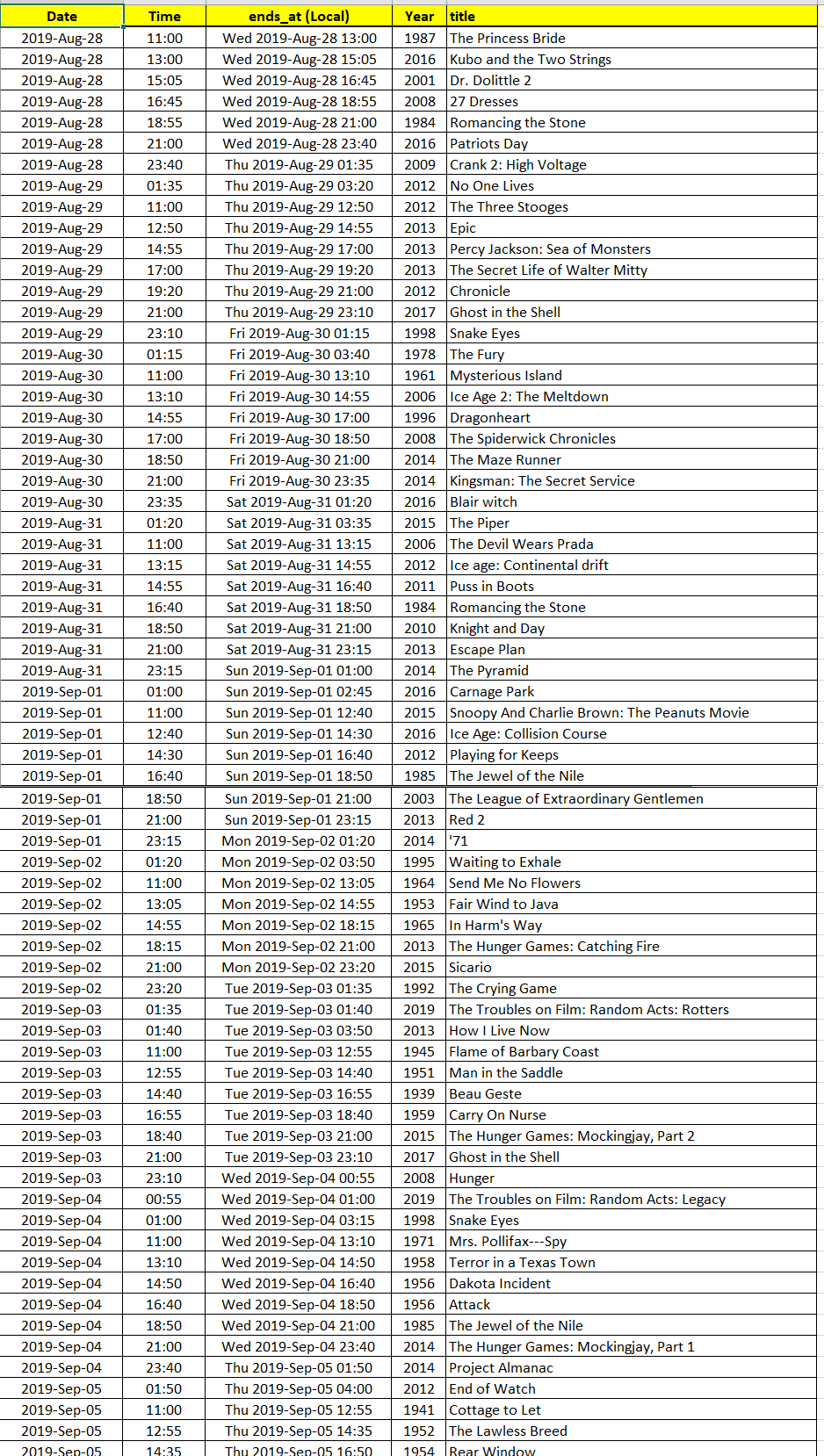
You sent me your EPG database on the 17th August. At that time, this was what was at 15:00 local time each day for the YESHD channel (I assumed you are at GMT-4 when I converted the times)

This shows the next episode after 21st August being Monday 26th. May be the guide data did not get refreshed correctly.
If this is still an issue, I would like you to do a manual EPG refresh through server settings and then check after that. If it is still wrong, let me have your zip code and another copy of the database files taken a few minutes after completion of the refresh - Also any web site you can point me to that shows the times and dates of airings for your region of this show
Referred back to our provider
I need exact information to investigate
- Channel Number / Channel Name, Airing dates/times, Show/Episode titles,
Lineup name, zip code
Database zip would be helpful but I need exact details to be able to locate related data
can you be precise please so that I can investigate.
If there are corrections to data - eg we recently had generic blocks of programming show, a full EPG refresh would need to be done to remove the errors.
If it is something else, please let me know exactly what is wrong with Film 4 data
This is what should be in the guide now
I did a spot check and did not find errors
Six days old post? Yeh, it got fixed but the Saturday schedule was wrong. 5Star wasn’t right a couple of days ago. I didn’t bother to post. 2months on, no confidence in this, money wasted, currently using something else. Maybe Plex will work fully again one day, who knows? That’ll be with the developers.
Fix on fail 2 months later is ridiculous, this should have been rolled back once you realised the extent of the mess. Any news on refunds for loss of the agreed service I paid for?
Sometime during the last week my Grid view of the guide (in the web interface) disappeared and I can only see the poster view. A guide refresh didn’t help.
QNAP Server version: 1.16.5.1488
I then tried upgrading to v1.16.5.1554, but no change.
Anyone else having this problem?
Add me to the list of people who have grown disillusioned with Plex DVR. It once worked great, recording every episode of Eastenders and Coronation Street.
Over the past few weeks, Coronation Street is an absolute gamble, with the second episode on Monday and Wednesday never recording.
Also, it’s now not possibly to go to the season for such shows whereas this was a handy link back to the list of recorded episodes.
I’ve tried deleting my DVR and recreating it (along with the recording schedules), doing several manual EPG refreshes and still no luck. Sky was expensive, but at least it was reliable for years and years.
Is it worth trying Emby or even Channels?
could I have server logs to investigate this. The two episodes should have different labels and should record. Start with a manual guide refresh. Ensure debug logging is enabled on the server (Advanced General Server settings). Do not enable verbose logging
Capture logs after 1st episode recording and again at the end of the time of the 2nd episode on the day.
https://support.plex.tv/articles/201643703-reporting-issues-with-plex-media-server/
https://support.plex.tv/articles/200250417-plex-media-server-log-files/
Screenshot?
Was it the bundled Plex Web App - through http://ip-of-server:32400/web or was it the hosted Plex Web App through https://app.plex.tv or https://plex.tv/web
So today’s episode recorded from 13:45 was episode 8178 and is shown in Plex as S35 E171, however I believe this should be S35 E172.
The web app app from app.plex.tv doesn’t have the problem. It is the bundled web app. I know for certain that the grid did exist after upgrading, but I didn’t notice the change until today, so it could have disappeared anytime within probably the last 7 days.
Another thing is the broken guide is only showing what is on right now. Nothing in the future.
EDIT: Never mind. Somehow the browser was logged out of Plex, so it was missing the grid because it wasn’t aware of the Plex Pass. Suggestion: Maybe you guys should put the grid in the regular Plex view with an empty screen that says sign in with an account to see the channel grid.
On a separate note, there is still a lot of poster art missing for local broadcasts compared to Gracenote.
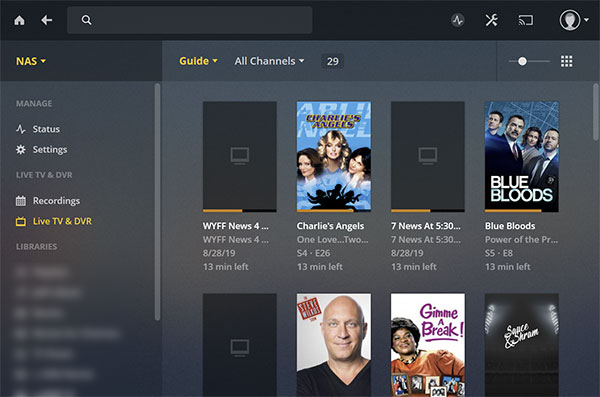
Could you please let me have precise info on what is wrong. Spending considerable amount of time into this, comparing channel schedules as available here https://www.ksps.org/schedule for 7.4 shows to me that there is a timeshift issue where airings are 3 hours out.
Is this what is wrong ? or other things wrong as well?
I presume you are on pacific time zone at GMT-7
The 3-hour timeshift in guide data for this channel has been referred to our provider. Let me know if there are issues with this channel
There is no simple answer for this. The anomaly appears to be due to the tvdb error mentioned by one mentioned by @paulsalter for 122 back in June


Channel 5 refers to episodes using the 8000 range. So does IMDB - Users may not be happy if our EPG switches to these numbers instead - because of the TVDB error.
If I refer it to our provider to correct, this may well be the solution - to switch to using channel 5 episode numbers

Yes we are aware
Thanks for the update
Hi,
I have tried many other options, including Channels and Emby. Channels seems to work very well, but is an expensive options. Also, in spite of the Plex teams incompetence with the current guide, and their complete unwillingness to listen to their loyal members that the current guide provider has proven to be be completely unreliable, the underlying DVR capability is quite good.
I have chosen to drop the Plex guide completely and use Schedules Direct guide (only $25 per year). You need to use the application MC2XML package to download the guide from Schedules direct, then use the downloaded guide within the Plex DVR. This has been working well for me.
Worth trying out as Schedules Direct does provide a free trial.
Richard
5Star channel has the wrong listing.
