I’m missing EPG data for some channels in my tuner. How can I get these added? I tried the Google forms “Plex EPG Lineup Inaccuracies” , but haven’t seen any updates. Is this still the way to report inaccuracies?

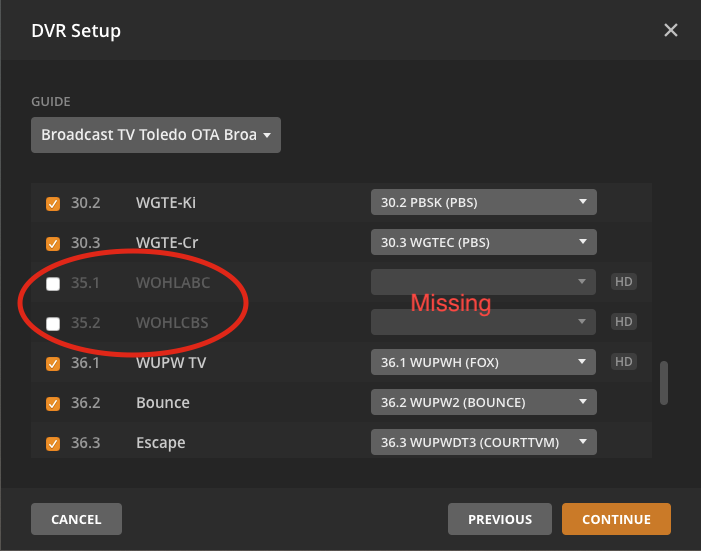

You can report them here:
Thanks! I tried it again this way. I’ve submitted it before with no luck. It would be really nice to have a complete guide! I’ll hope for the best…
Also in the Denver market here. I don’t actually check recordings sometimes for a week or more. Thanks to this issue I think my wife has missed an episode of Law & Order; there will be hell to pay…
Episodes 9 and 10 of Law and Order were incorrectly identified as 18 and 19?
NCIS episode 12 was incorrectly identified as 13. I have given up on trying to find a pattern to this.
Also some DVR schedules setup last year stopped working for the new season, for instance Manifest. All inaccuracies were reported to Plex.
Just amuses me that months after switching and issue after issue, there’s never been a hint of an apology. Staggering really.
At this point there should be an entire sub-forum for guide data issues.
Link to recent interview of Keith Valory, CEO of Plex: https://www.youtube.com/watch?v=DKLcmPS5yo4
In light of all the issues with incorrect episodes number with the new EPG provider, had to chuckle at some of the comments Mr. Valory made in the interview regarding his desire to make sure core issues are taken care.
Stating the obvious but an accurate EPG is critical to a DVR value and right now Plex is not providing anything that comes close to an accurate EPG. As @andyev26 stated, disappointing not even an apology from the Plex team and a plan on how to improve. After 6+ months seems reasonable to expect both.
Even when the guide data is correct the DVR basics don’t work so at least they’re consistent in not caring about the product’s functionality. IMO, LiveTV/DVR was a HUGE scan to gather revenue via Plex Pass subscriptions and in the past 6-12 months they’ve shown ZERO inclination to make it work for the majority of their users. They refused to provide full refunds and don’t even provide plans/updates. There’s only one resolution and it probably won’t happen, a class action lawsuit so some lawyers can enrich themselves 
Examples please + lineup/zip code/channel number / channel name
@sa2000, you remind me of the one legged man in an ass kicking contest… I admire the job you are trying to do but surely you and others at PLEX know you are fighting a never ending battle with the new EPG provider… This is crazy… I really doubt that this all will ever get straightened out to the point where the current EPG will be anywhere as good as what we had before the change… I have totally given up on trying to schedule recording anything with PLEX… What a waste of time and energy on every ones part!!!
Freeview-National Lineup United Kingdom OTA Broadcast / GU47 / Every channel name / Every channel number
I will look into this.
I would advise to switch from the National lineup to use the regional one - the regional lineup for your Post Code. You would avoid the issue of having randomly selected regional channel for ITV and BBC when matching channels with the National lineup. The hyphenated channel numbers would go when switching to the regional. It does mean you would need to recreate your schedules
Hi, thanks. I live between two regions - using the National Line Up allows me select my best or preferred channel rather than have it limited to one region.
Example is that I prefer BBC London to BBC South so the National Line up allows me to select that instead.
we have drawn the same conclusion on the New Plex Guide Very Poor in UK thread…
Well the last post in that thread is partly about grammar in the title, so we have come far with this guide thingie if we care about that 
I see your wink, but for anyone else reading this, it was (and I quote from that thread) “a very, very minor point” added to the end of a post regarding series/episode errors.
This was caused by a change at our end which is being fixed. I will post here when it is fixed and a refresh can be made to correct the data
hehehe - I thought my ears were burning on the drive home 
I have no idea why I continue to report errors that are rarely if ever fixed BUT AGAIN your cartoon network lineup has gone fubar. The primetime schedule changed last week and your weak provider has done nothing. The entire prime time line up is different ffs.
This “service” is a complete joke.
Channel 48/848 - Grande.
Further to my earlier replies, this issue should be fixed now. There was a delay in me coming back to you with the fix - because there is also 24 hour caching of such data within Plex Media Server. This cache should have expired now and a refresh should pick the year
