Minneapolis / St. Paul OTA Broadcast
Zip Code 55082
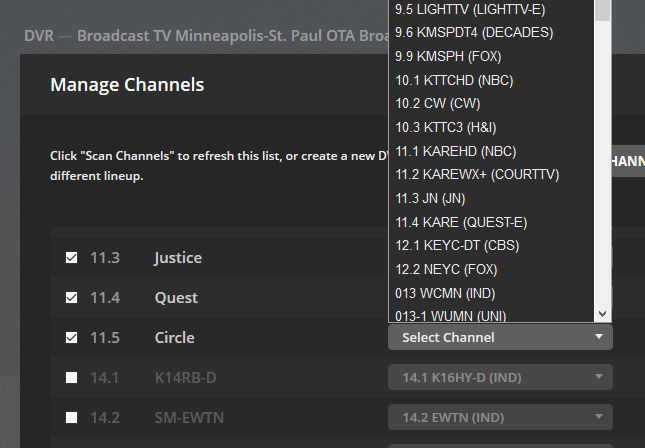
New channel is available, but not available in Plex.
Channel 11.5 is Circle. https://www.circleplus.com/
Minneapolis / St. Paul OTA Broadcast
Zip Code 55082
New channel is available, but not available in Plex.
Channel 11.5 is Circle. https://www.circleplus.com/
“Grande communications” Cartoon network (48/848) schedule is 100% invalid from monday morning on.
Are you watching this thread? 14 days, no response with other submissions after yours.
I submitted via Google form my issue posted here four days ago, and it’s not even acknowledged.
I will come to it
Thank you for reporting this. Appears to be a data issue at our end. I am referring to our EPG data team
The channel is there now. please try again
Little Rock - Pine Bluff, AR OTA channel line-up.
Plex shows CW- KASN on channel 16.3. should be 38.1.
Any help would be appreciated.
Confirmed working. Thank you.
I noticed when The Flash recorded last night (3/3/2020) on The CW it was marked as a new episode 14, but was really a rerun of episode 11. And now looking at next week, when the real episode 14 should be airing, it is also marked as 14, but Plex is planning to skip that episode since it was already recorded.
If anyone is backlogged on watching they should check last night’s episode and see if it was recorded as 14, then delete it and rescan so next week will record properly.
Of course Gracenote, which powers Zap2it.com, had it marked correctly last night as the rerun of episode 11.
The lineup appears to have two instances of the CW-KASN channel, one on 16.3 and one on 38.1. We have an issue with handling of duplicate physical channel IDs which is being fixed.
Is it actually causing a problem - other than displaying the wrong channel number?
The temporary fix for the issue I mentioned with handling of duplicate channels, is to map the required tuner channel (in this case 38.1) to the lower guide channel number (16.3) - so the tuner 38.1 channel will show as 16.3 but it should tune ok.
To check the mappings, go to DVR Settings and click on the “xxx enabled” channels link
was this channel 9.2 on the Broadcast TV Grnvll-Spart-Ashvll OTA Broadcast lineup?
No. It was 62.1 on the Grnvll-Spart-Ashvll OTA Broadcast lineup. Although looks like 9.2 is owned by the same parent company, so it might have had the same problem.
Yes it is the same airing on both channels
I have referred this to our provider
When I scan for channels on the HDHomeRun Connect, 38.1 is discovered. There is no 16.3. When I returned the EPG, 16.3 is listed for CW. This creates the error and nothing is recorded. I can’t map 38.1 to 16.3 because 16.3 is not listed in the scan.
correct
yes. because the guide/lineup “Broadcast TV Little Rck-Pine Blff OTA Broadcast” has two entries for the channel, one as 16.3 and one as 38.1.
| Displayed Channel | vcn |
|---|---|
| 16.3 : CW HD (KASN HDTV Affiliate: CW) | 16.3 |
| 38.1 : CW HD (KASN HDTV Affiliate: CW) | 38.1 |
We are working on a fix to handle duplicate lineup entries like this.
In the meantime, you can get round the problem by going to server settings
selecting Live TV & DVR settings
That will show the name of your lineup- which is
Broadcast TV Little Rck-Pine Blff OTA Broadcast
and within the box there is a link “enabled channels”
Click on that
That will display tuner channels on the left side and matched EPG lineup channels on the right
Scroll down until you get to 38.1
You will see it mapped to 38.1 on the right side. But we need to get round the issue, we need to map it to 16.3 - so open up the drop-down for this row and instead of 38.1, map it to 16.3
So you will run with the channel as 16.3 until the fix is released. At that point when the release is available and you have installed it, repeat this sequence - but selecting 38.1 instead of 16.3
Got it…thanks…
Day Light Savings Time was an epic failure for the guide (US Central Time zone DFW market). Everything afoul. Missed recordings, missing data, just plain wrong. It’s as though it was not expected. Nice job!
I’m in Eastern Time and none of my shows got mislabeled, but I am missing a show that should have recorded from midnight to 1:00 am. I can’t tell for sure why Plex might have skipped that one. This show hasn’t had a problem before so it is logical to conclude DST might have played a role.
I doubt the show skipped a week because last week was the season’s episode 1 and next week is episode 3, so theoretically they should have aired episode 2 last night. Plus Zap2it shows an episode 2.
Strangely I’m also not seeing a single show from Saturday that normally records.
Just noticed a new quirk. Saw that the Simpsons was tagged as NEW in the guide yet wasn’t recording. I decided to look in my library and sure enough, there was already an episode with today’s S#/E# and it had the right description. HOWEVER, it is NOT the right recording. The episode tagged with tonight’s episode and synopsis in my repository is actually “Hail to the Teeth” from a few weeks ago.
I then reviewed the past dozen or so episodes and none of the recordings match the correct synopsis nor S#/E#. WTF! Looks like PLEX has been applying the wrong information to these recordings for quite some time. My EMBY server has them correct (surprise).
I’m going to guess that this guide fiasco has rendered many recording libraries unreliable based on the brief review I just did against IMDB and my EMBY recordings.
https://www.imdb.com/title/tt0096697/episodes?ref_=tt_eps_sn_mr

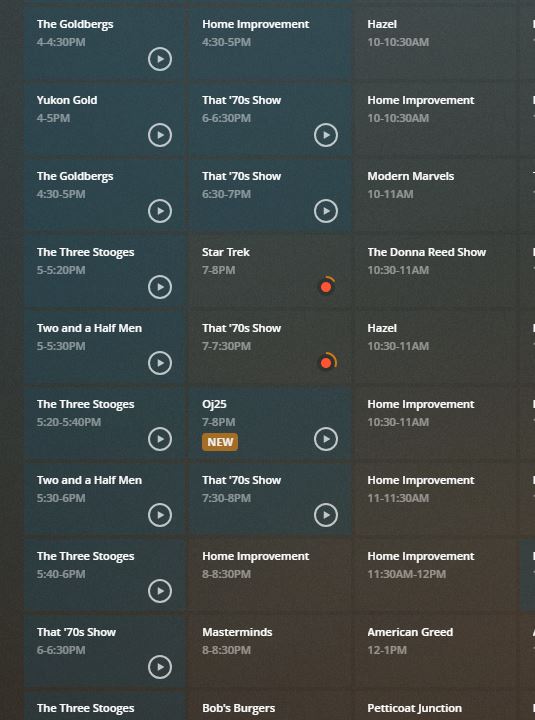
On UK Freeview ( Freeview Meridian(South East) OTA Broadcast), the ITV show “Liar” is a little messed up in the guide.
On Monday 16th Mar the EPG is showing “S1 - E7 - Episode 3” when it should be “S2 - E3”.
