Server Version#: linuxserver/plex 1.26.0.5715-8cf78dab3-ls112
Player Version#: Web app Version 4.76.1
I’m the latest victim of an ongoing problem where people change their passwords and it totally breaks Plex.
I did find this guide instructing me to delete key pairs from Preferences.xml and tried that (I also deleted Friendly Name as recommended in this thread).
Now when I log into the plex web app through my browser (IP_ADDRESS:32400/web/index.html#!/) it greets me with an empty home screen and no way to add my library.
In desperation I even tried to delete the entire /mnt/user/appdata/plex folder but that has the same results, an empty home screen with no way to add my server.
I don’t know what else to try.
Screenshot showing my empty home screen:
In desperation I even tried to delete the entire /mnt/user/appdata/plex folder
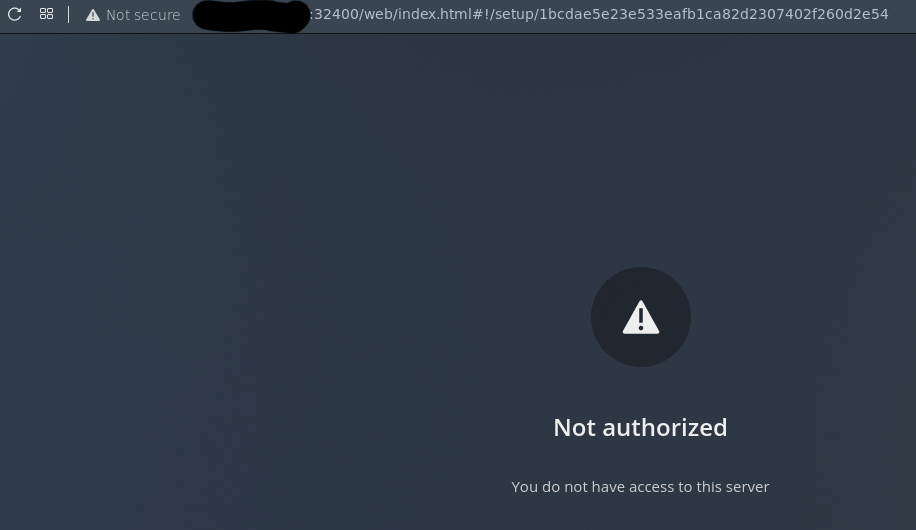
I get the ‘You do not have access to this server’ message when I delete the entire folder. In this case it creates a new plex folder upon startup of the Docker container:
This is also the same result I get when I totally delete the Prefrences.xml
I would prefer to not delete the entire history of my server as I and other users have many playlists we’d like to save.
If no one can help me recover my docker container and its claim to my server can someone please help and let me know of it’s possible to transfer my playlists and watch history to a new container?
First of all, bot PMS and browser workstation must be on the same IP Net, and that must belong to private address space
If not, you could trick your browser into been on the PMS servers localhost
See: Installation | Plex Support
Search in above for: On a Different Network
on the same IP Net
I’m connected to the network where PMS sits through a VPN. Does that mean I should use On a Different Network or On the Same Local Network?
If I follow the instructions for the former:
Enter: ssh ip.address.of.server -L 8888:localhost:32400
Navigate to http://localhost:8888/web
It gives me this screen and just stays stuck there forever.
Following instructions for the latter is what I was trying to do before.
Since you never mentioned your IP Net, above would work regardlessly
Restart PMS, and try again
See: Installation | Plex Support
Search in above for: On a Different Network
That’s exactly what I was missing. Thanks a ton!