Sorry, not want to share preview as it is forbidden… Only for Plex team to solve this incopatibility…
Too bad, thanks anyway.
Update
I’ve been in contact with Synology, in light of what’s transpiring.
I have more info. I’ll work with the rest of the team here to see what can be done.
PLEASE PASS THE WORD:
DO NOT UPGRADE TO PREVIEW RELEASE OF ANYTHING
- This is still closed beta
- It’s quasi-preview
- It’s NOT release candidate stable yet
- It’s a moving target from where I’m sitting which makes support nearly impossible until DSM itself is stable.
3 Likes
Noyse is our Hero !
With his command, we can enjoy the DSM 7.0 preview in continuing to use Plex !
For sure, he saved many lives here ! 
1 Like
so it’s working on DS718+ for example? I have DSM 7 running as a virtualDSM and cant install Plex there…
Please allow me to elaborate.
- The current Plex SPK file is NOT DSM 7 compatible.
- If you happen to mistakenly upgrade to DSM 7 beta, before reading the warnings:
- DSM will disable the package - No GUI control
- It may run but there are no guarantees. (Kernel and runtime libraries did change)
- I can provide NO SUPPORT until such time as DSM 7 is released publicly.
I’ve been working with this since DSM 7 was announced. It’s not QUITE ready for prime time.
7 Likes
Thanks for the update it is really appreciated.
Cheers
The manual start command via SSH only works when the package is already installed. A fresh install of the package is currently not possible as far as I can tell.
Always the same thing when Synology releases (preview or not) big updates of DSM, third-party packages stops working. 
its possible with “synopkg install” via terminal to install the spk.
not for me. Getting errors there
Another option to get plex working again is by using docker if your NAS has capability to run docker.
I read if you use Docker to run Plex server you’ll loose hardware transcoding.
I believe that is correct. So there’s a trade off until we get proper spk for DSM7.
The workaround shared by noyse worked for me but i noticed that after a NAS reboot you will need to run it again. (Though typical usage of NAS does not require a reboot unless there’s an update requiring to do so and some other reasons)
for reboot, I solved it by creating a scheduled task with the given command
1 Like
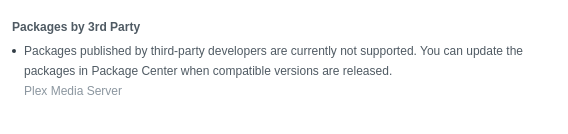
As DSM 7 inches closer to actual release, and the restriction is removed, this status will change.
Could you develop your answer please ? @ChuckPa
- DSM 7 is PREVIEW stage.
- The progression of DSM 7 will be PREVIEW -> BETA -> RELEASE CANDIDATE -> PUBLIC
- There is NO DSM 7 SUPPORT until such time as DSM 7 supports 3rd party packages AND is PUBLIC RELEASE.
Please develop better reading skills.
3 Likes
Curious. I seem to recall Plex could be run in a docker container. It seems like that method would continue working independent of DSM version.
Of course, I don’t want to be the one to update to DSM 7.0 and test that, but if someone HAS updated to DSM 7.0, and is now struggling maybe that’s worth a try.
If I may caution???
- Docker is a 3rd Party package
- Per Synology’s warning in the DSM 7 preview
- Don’t expect any 3rd party packages to work.
1 Like
