Plex Media Server (with plexpass) - Version 1.24.0.4930 - for TrueNAS - iXsystems
Plex for Windows - Version 1.33.0.2444-a220eae4
Plex for Android - Version 8.21.27212 (f3c29f79)
After the last update, the Plex Media Server doesn’t recognize the language code for external subtitles.
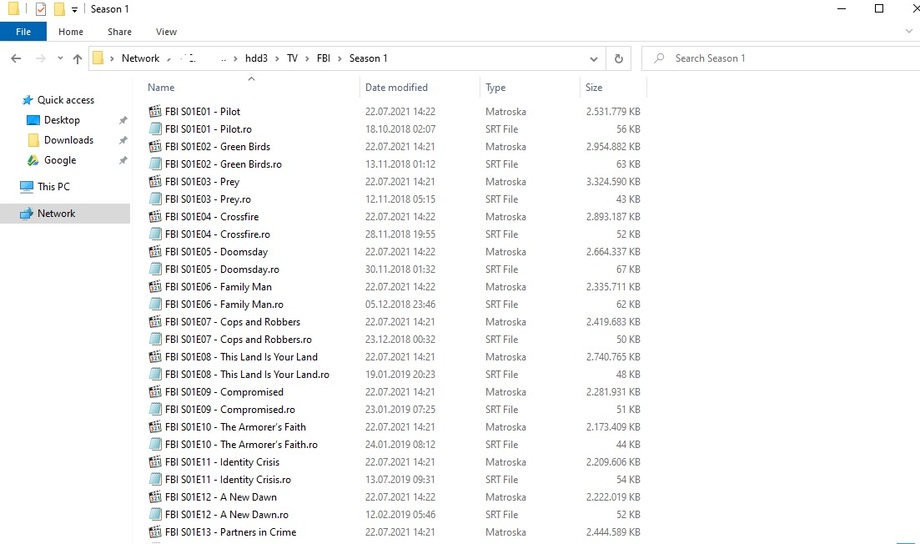
For my TV Shows and Movies libraries, sometimes, i add external subtitles with the language code, the romanian language Code, ex.: Title.ro.srt
We did not have to do this conversion until the latest version was released. We only had to edit the subtitle file with the .ro.srt extension and it worked fine. Is the conversion method required from version 1.24.0.4930 and now on? This from my point of view is a major regression and I don’t understand why this feature was discontinued if so.
I’ve checked all the movies that I’ve watched that were working without conversion and the Plex web player, together with the Plex Android TV app do not recognize the .ro.srt extension anymore. If what you are saying is true, then watching the previous movies that I mentioned should have worked without issues on this latest version, correct?
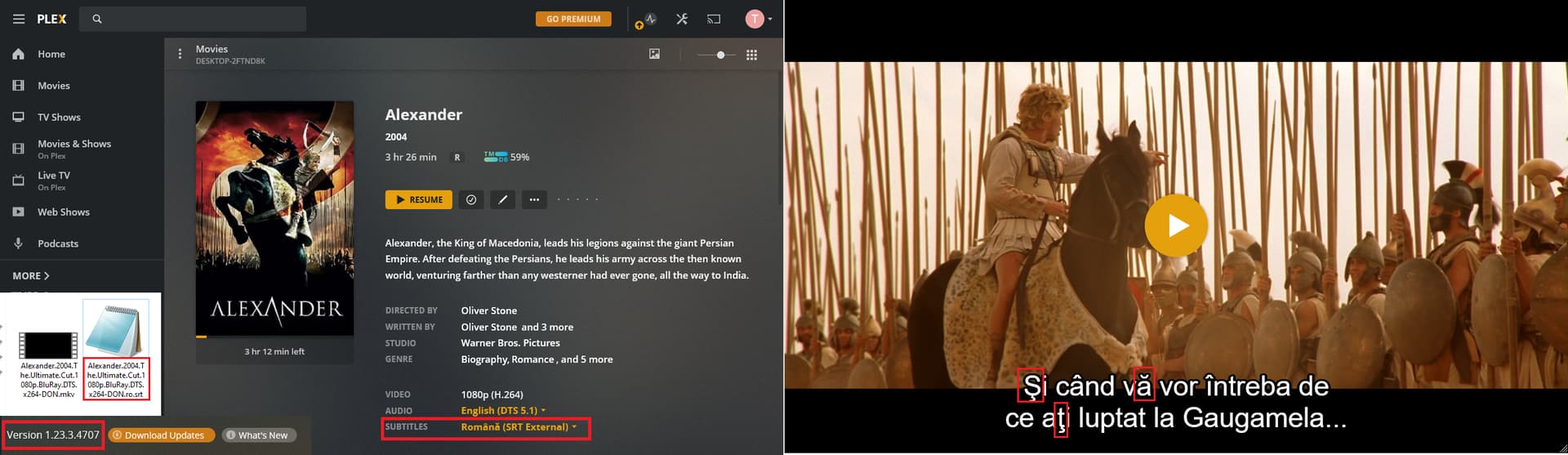
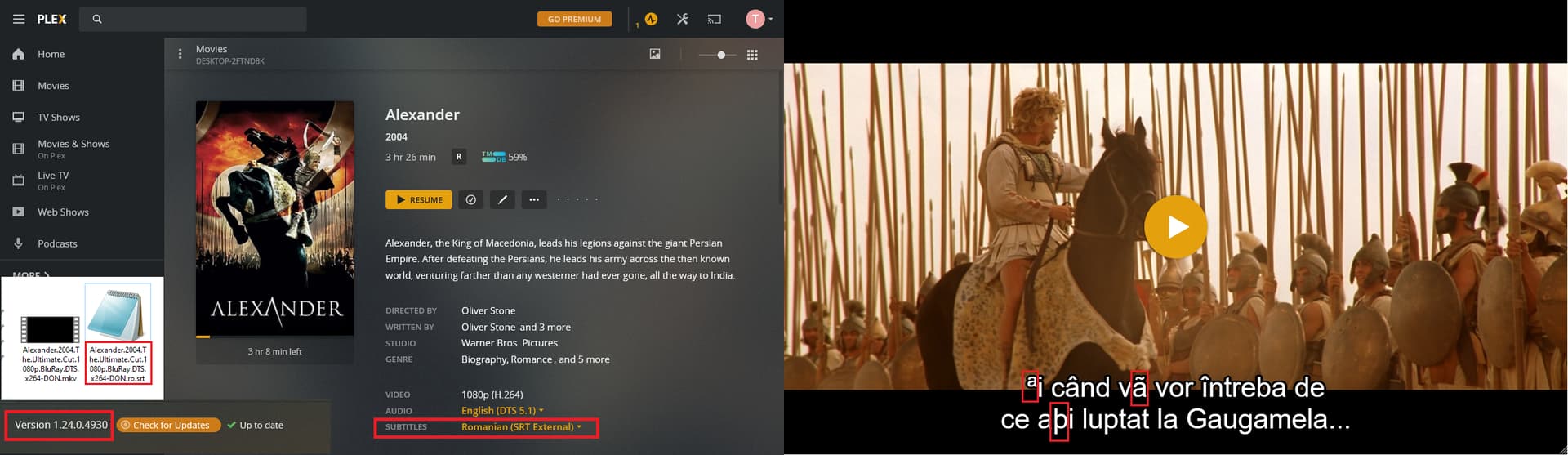
The file extension worked in a way or another (I do not know the inner workings of the Plex video player), because for example if we do not add the .ro naming in the file, then Plex will not recognize the subtitle to be Romanian, and will display it as “Unknown (SRT External)”. When I change it back to .ro in the srt file naming, it will identify it as “Romanian (SRT External)”, see attached screenshots. In the past versions, this was enough to display diacritics, as the above user mentioned.
So, I’m back with my findings so far. I have downgraded to the previous version of the media server (meaning 1.23.3.4707) and I can confirm that there are no issues anymore, as previously stated by me. The differences between the two versions can be seen in the below attached screenshots. I want to mention that I have not converted the subtitle file and Is the same on both versions of the media server.
Maybe this is not a bug, but a feature? It clearly is a regression… somewhere. I also checked the latest release notes: Plex Media Server - #455 by emilybersin and what triggered me is this new thing that was implemented:
(Localization) Improved language code support for audio and subtitle streams (#12909)
So… this needs to be investigated from my point of view. Till then, I recommend all romanian users to rollback to the 1.23.3.4707 version.
I can confirm what TuneTu is saying. Before the last update i didn’t have to convert my subs. I just have to put .ro at the end of the .srt file and everything worked perfectly. I think you messed up with the last update.
So, i tried even “title.ro.srt” and “title.ron.srt” the results are the same.
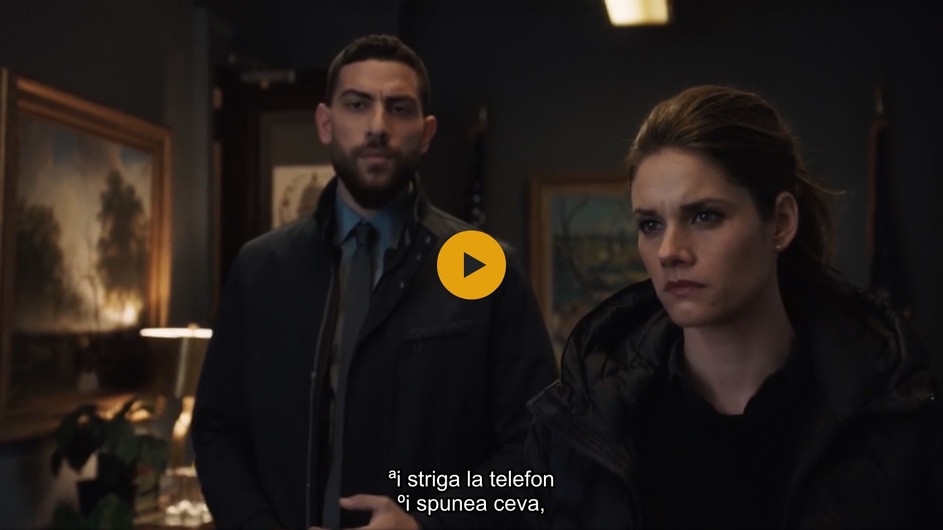
So, i think that this new version of Plex Media Server reads the subtitles info about encoding type and plays them as they are no matter of the local subtitle letters.
So i tryied to batch convert the files and that work very well, but i have a problem, i have a LOT of Movies and TV Shows on my personal NAS server and it will take some time to convert all the subtitles as UTF-8.
Btw.: If you try to convert them from ANSI to UTF-8 remember to uncheck the Beta UTF-8 BOX from Control Panel → Region → Administrative → Change System Locale and reboot the PC … I’ve tried with the box checked and Subtitle Edit didn’t recognize the characters well.
I made an appeal for my romainan subtitle teams to save the subtitles with the UTF-8 encoding, i hope they’ll do it.
So, “happy” converting the subtitles !
P.S.: If you already conveted, or the subtitles are already converted and still have the bad characters, you can change them with Subtitle Edit in the tab : Edit → Multiple replace and add to : “find what :” the bad characters: þ to ț, º to ș, ª to Ș and ã to ă , you will see in the “lines found” box all the rows it will affect, see if all rows are checked in that box and press apply or simply ok.
From my point of view what is courious that many version ago the subtitles where recognized without adding the country code. No modification was supposed to be done
Also I think that Plex should implement a process of auto recognizion and conversion and not to force users to modify their libraries
Thanks!
The new version clearly caused a bug, I don’t know how plex can ship something like this in the production and affect so many users that use subtitles encoded in a format other than UTF-8. Previous versions didn’t have this bug I have been using plex for years.
Using 3rd party subtitle converter is just not acceptable. But if anyone needs to convert subtitles outside of plex a simple solution is to download an editor called Emeditor (the encoding conversion is free thankfully) file > open select all your files and open, then go to file > save all with encoding and in the encoding select the UTF-8
(thanks to sarksi_yol1 from videohelp forum)
I do also confirm this issue, it’s impossible to convert all the subtitles, considering various folders/sub-folders and logical drives.
The previous encoding was ANSI for all the subtitles, and all what was needed in order to correctly display the diacritics was to have the correct extension (.ro.srt or .ron.srt) .
@OttoKerner Please forward and emphasize this issue to the programming team in order to solve it in the next version, so the ANSI encoded .ro.srt files to correctly display the diacritics.


 It clearly is a regression… somewhere. I also checked the latest release notes:


