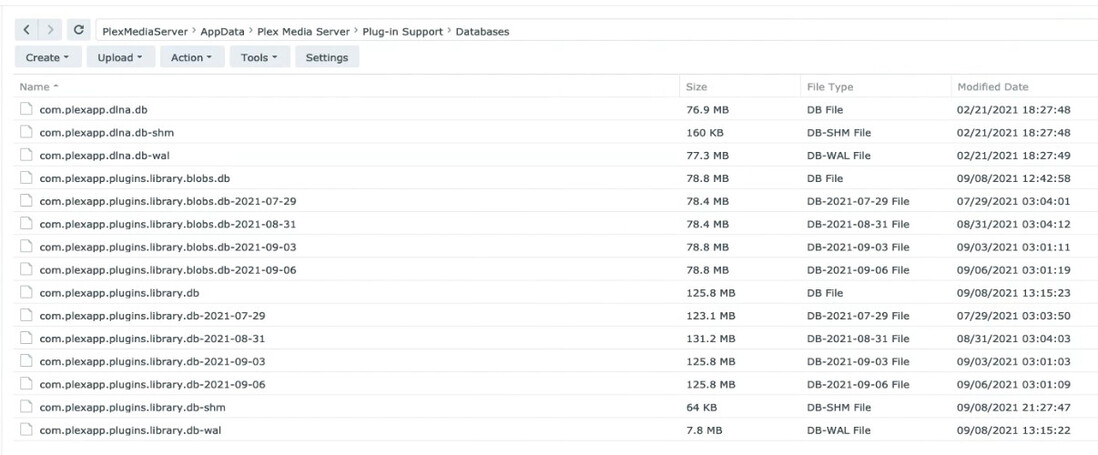
I am getting that blue messaging, not red. As for that specific screencap, I don’t remember what happened around 8 hours/30+installs/reinstalls ago. I definitely did not do an Erase function, but Repair might’ve been in the mix.
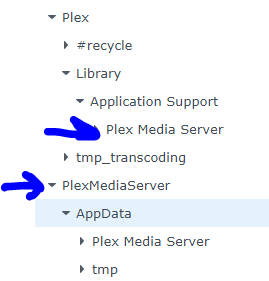
EDIT: Back at my computer. It seems it created a new PlexMediaServer folder in the few hours I’d been away under the old Plex directory. I can’t seem to get Plex to run and not manually stop/crash immediately though.
Did you upgrade to DSM 7 without removing the Plex app first ?
(then maybe it Repair) ?
Nothing new will be created in the old “Plex” share.
As of DSM 7, it’s completely abandoned (DSM 7 forced changes) and is free for your use or removal as you wish).
Migration (from DSM 6 → DSM 7) can take a long time. We had one user (480GB of metadata) require 2 weeks of constant running to get it done. That’s the one-time pain of this whole process. (DSM 7 changed that much)
That Blue message, which will soon says “Installation Successful!” as well
is just that. Success.
The message itself is for those who are new to DSM 7 - as a reminder how to make their media accessible to PMS on DSM 7.
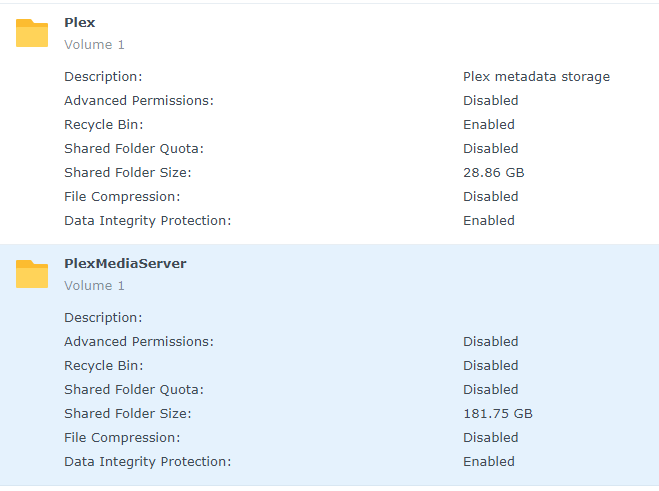
So the 31.4 GB needle hasn’t moved on the PlexMediaServer folder, so I’m assuming it’s done…but I’m still getting the Manually Stopped crash happening when I try to run PMS.
When complete. you should have what looks to be a normal com.plexapp.plugins.library.db file which just happens to be the same size as one of your backup copies.
The db -wal and -shm should no longer exist.
Start the server
Go into each Library section & refresh all metadata to get the db back in sync with changes since last week.
Ok…so I just updated PMS to version 1.24.2.4973-7000 just now. I had already upgraded to DSM 7 going through this process and all was fine. Only small issue is I had the “Plex Media Server” folder nested within the Plex folder. Not a big deal because all was working so I left is alone.
Now…after this update there is a new “PlexMediaServer” folder and a new share of “PlexMediaServer”. Given this am I OK to delete the “Plex” folder and all the contents within it? Both folders have a good amount of data in them. See screenshots below.