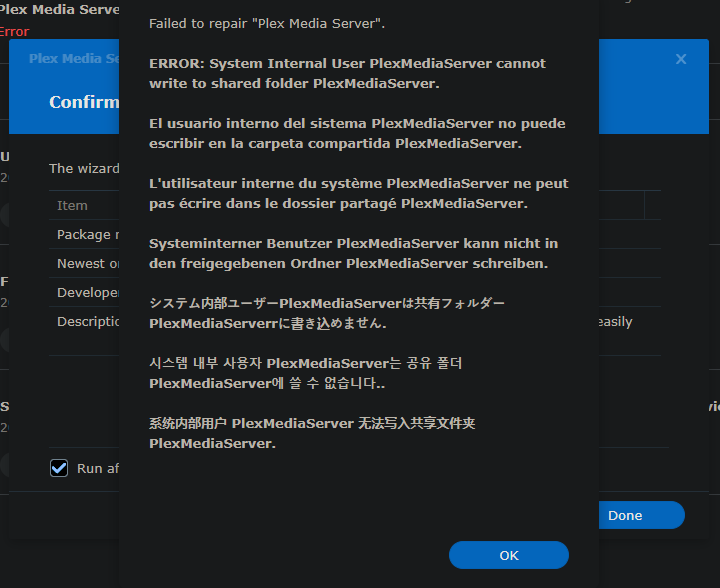
no, my user account, which is what PMS on DS6 ran no issues.
DSM 6 rules no longer apply.
You need ALL that admin gives you
Worst case, I give you a command to run as a ‘User Script’ (scheduled task)
Admin account has been disabled on my NAS, and my User account is part of the System admin group.
UGH.
Let me write you the script. One moment please.
1 Like
The Plex folder has previous plex media data. The size is much smaller about 28GB versus the new folder at 182GB.
I deleted the Plex share folder and my PMS is good to go. Thanks for this update and the cleanup job. Appreciate it!
Here we go:
- Control panel - Task Scheduler - Scheduled Task - User-script
- General - Run as
root - Task Settings
Here’s the commands to paste (for you)
#!/bin/sh
chown -R PlexMediaServer:PlexMediaServer /volume1/PlexMediaServer

# This will take a bit to run
# Make certain to have the task email you the results
# (run as 'root' user)
It will look like this

Start it (RUN the task).
When it emails you and you see the output is good, start PMS.
Holy Christ, this was a massive load off. Thank you, sir. I know we give Plex quite a bit of guff, but it’s really appreciated that you monitor and respond these boards so quickly.
1 Like
I guess that if I’m the guy who wrote it, I should be around to support it while everyone learns how it works?

1 Like
My wife works for a big tech firm that deals with this kind of problem all the time. She puts the blame on Synology releasing DSM 7 and telling you all to figure it out. Puts Plex’s role in all of this into perspective.
I have my own feelings and would share if I could but think you understand.
I can only say that I feel the current path is “less than optimal” as I would have approached it differently – but every engineer has a different thought processes and I am not privy to what drove the decisions.
Hi @ChuckPa, I am having the exact same issue but on a brand new Synology system with DSM 7 (2 days old). Having uninstalled and installed the posted PMS version manually a few times (I can’t find 1.24.2.4995 btw) I continue to see Not Authorized, you do not have access to this server. I did grab the token and I see the server listens properly when I view devices on the web. This is my first time using a NAS since I had used PMS on my Mac. I see others in videos with Plex as a ‘user’ but that is something I’ve never seen yet on my NAS. Here are some logs… I also notice that my Admin user is Disabled in my control panel which is baffling too. Any ideas here? thanks! Logs.zip (48.8 KB)
The version you want is 1.24.2.4973, not a 4995 version. There’s no such animal. You do have 4973 so all is good.
As for Not Authorized -
-
you must open the NAS via it’s IP address. e.g http://ip.addr.of.syno:32400/web (use your Syno LAN address here.
-
You can’t use a FQDN or app.plex.tv to get it configured. This is the default security mode (it protects your machine and data). Once attached to your account, it relaxes and allows access other ways.
-
The above having been stated. There is a DSM 7 bug / conflict. When you use QuickConnect, it breaks the link shown in package center. The quick workaround is to make a bookmark in your web browser.
-
I do provide an alternative ‘claiming’ method (which is what is needed here if you can’t use the LAN IP). That’s the “Plex Claim Token” installation method.
1 Like
AWESOME! yes that totally worked! thank you very much!
Glad I could help.
Now that it’s claimed – you can access it any way you want (because it knows it belongs to you)
Yes terrific. Really impressed with how Plex performs on this! Thanks again for your hard work here.
Hi, whenever I try to update to the latest version 1.24.2.4973-7000 I lose my server and libraries, it shows the server as offline, I tried three times to update, manually through Package Center, every time with the same result, what I then end up doing is uninstalling Plex Media Server (Uninstall only), Install it again, previous version though 1.24.1.4931-7000, set all the proper permissions and then I can see my server with it’s libraries. Any help would be appreciated.
I finally managed to get Plex working on DSM7, but with one minor issue.
I see two servers listed, one “Nearby” which works and another as “Unavailable” (same name).
Is there a way to remove the last one?!
Exactly the same thing for me with my synology
I’m no expert but the way I did that was by clicking the settings icon in the top right, assuming you’re doing all this through the Plex Desktop app or through your browser (app.plex.tv/desktop/), then on the left, where the drop down menu is for selecting a server, choose the one that’s unavailable, once you select it, just under it, the last option, should be ‘Remove server’.