You beat me to it!
@rauchi @captain_caveman2k Please see the latest Web release notes.
- Search: Show Photos in search results when Top Results is selected.
You beat me to it!
@rauchi @captain_caveman2k Please see the latest Web release notes.
Am I missing something since the latest update?
Despite having all the ‘Discover’ stuff set to disabled, if I start searching for an actor or director, I’m getting results for people who are not in my library underneath the results for those who are. I don’t want this, and would like it to go away. Is this a Plex Pass thing, because if it is, I’m happy to cancel Plex Pass to get rid of it.
It doesn’t apply to titles, only people, so I assume it’s something to do with the latest feature you rolled out.
No, this is available to everyone…
Please make sure to check out the forum post about the Discover Credits and it’s Support Article. There are a couple caveats that your libraries may fall into causes the issue you’re seeing. Please review the FAQ in the Support Article to see what may be the root cause.
We are taking in all feedback around on improving the Credits page so please keep the feedback coming! There is another forum thread requesting changes that seem to fit your complaint. So please vote if it fits.
Okay, so there is currently no way of getting rid of this?
I’ll be honest, I’m getting really tired of Plex. It seems like every few months you muck around, removing features, re-adding them, forcing new unwanted features on everybody, and making all of us who have been with you for years and only want a local media server to wait. I seem to spend more time having to tinker or troubleshoot issues with Plex than any other application I use.
I’ve put off moving to Emby because of the amount of work I’ve put into my media server over the years, but I’m starting to suspect that Plex no longer wants users like me and it’s where I’m going to have to go.
Agreed, why can’t we just have a simple server solution with OPTIONS? If security wasn’t a concern, I’d go back to the version about 4 years ago…
@tropez7731 and @DragonCue the only way to not show most Discover related features, is to use a Managed User. Focusing on search and People, People search results will still show up and will route to the Discover Credits page but there will be no filmography section and no Known For hub. The Online Media Source settings are respected here as well, meaning disabling Movies & Shows on Plex will hide the hub on the Credits page that references this source. So for the Managed User in this case, they would only see what is available to them via a PMS share.
This is might not be a great option for you but it is an option. Again, we’re taking in all feedback to see where improvements can be made.
It’s not an option, though, since my complaint was solely about the inclusion of unwanted search results and a Managed User doesn’t solve this problem. As you say, those results are still there, cluttering up my screen, and confusing the person with early-onset Alzheimers who uses the server in this house.
I seem to recall months back people complained about unwanted search results from the Universal Search feature and you eventually added a way to remove them. You’ve basically just brought it back. I don’t see the point in offering feedback, since evidently you’re just going to keep pushing these features until nobody sees the point in complaining anymore.
Glad you are making very slow progress on this new search. I still wonder if I will ever be able to find a movie like ‘Brightburn (2019)’ by only searching for ‘burn’? Still, I wonder after all this time.
so the search is Screwed UP again! hitting enter does nothing, have to wait and wait and wait, then click out and back in, then can click “view all results”; why did they remove the “/enter” again??? /SIGH…
Thanks for reporting this. I’m seeing this on my end as well. Raising this internally.
Someday I want to like your posts too…
@DragonCue This issue should be resolved now with the recent Web release. Desktop release will follow, soon 
- Search: Fixed an issue that caused rapidly pressing Enter after searching for something to interrupt the search and cause the search results to not appear.
Thanks again for reporting the issue.
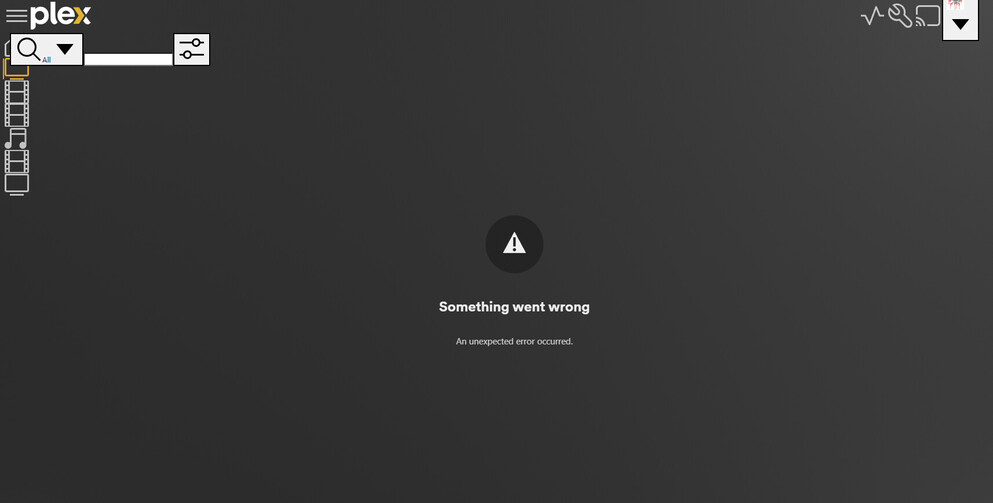
Web release is atrocious. UI elements huge, elements missing and pages just state “Something went wrong”.
Do you have any more details on this? Which browser? Can you confirm the Web version? Have you reloaded or signed out and back in? Screenshot? Is this is specific to Search on Web?
Thanks for reporting this however this doesn’t really fit the thread.
There appears to be an issue with this release. We looking in to it but have reverted back to the previous release for now. Please clear you browser cache and attempt app.plex.tv again. Once you sign in, please confirm that the Web version is 4.95.2.
Disabling Google Docs Offline 1.50.1 in extensions fixed the problem (as did running the browser in Incognito).
Works now.
Somehow, I don’t believe ‘No news is good news.’ Any new updates on fixing search in any way?
Has the Search feature been addressed?. All I would like to see is the search results of the movies in my database not everything available in the plex world.
You can disable any of the Plex services and/or any Discover search results. Visit and Disable any Plex service or Discover related setting here:
https://app.plex.tv/desktop/#!/settings/online-media-sources