Showing that I have Plex Media Server files under the Plex shared folder as well. I think these are from after I updated to DSM 7 and updated Plex from Package Center and tested, before updating to the latest release from Plex Downoads using Manual Install

Thanks, I’m trying following the guide, but when I start plex for the first time it always gives me these 2 errors:

so and how I configured the nas following the guide


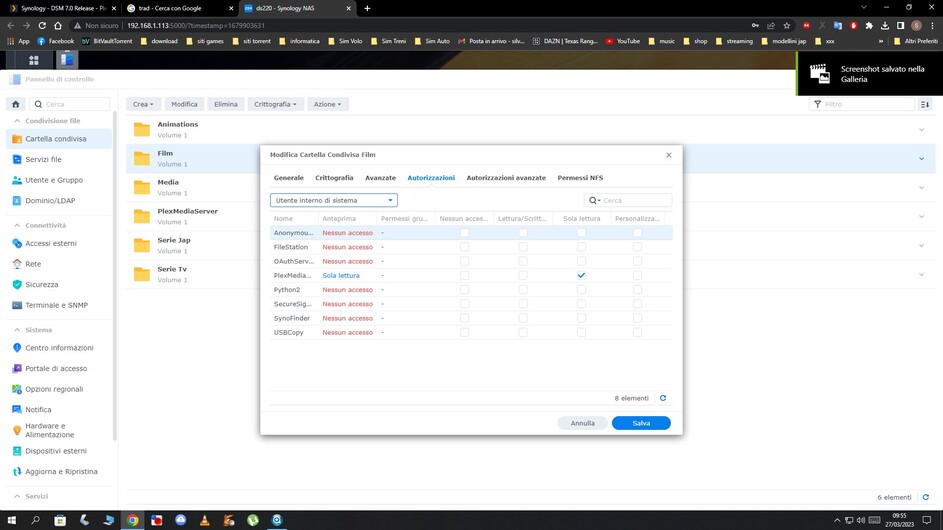
it always gives me the problem that it can’t find the server, I don’t understand where I’m wrong or what the server error could be, yet I use plex correctly on windows 10, but I bought a NAS so I don’t always have to have the PC on
Curious what your testing is revealing so far?
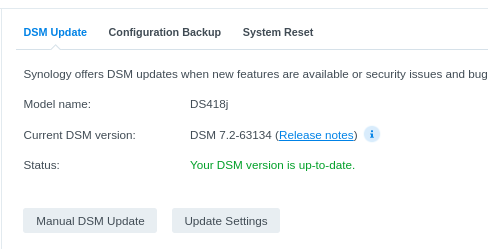
Good to know. Thanks.
@ChuckPa
some more help please!!!
In this screenshot
You literally used what I gave you .
You need to substitute your SYNO LAN IP address for what I gave you
Make certain to specify the port & URL as: :32400/web
- You open it by http://ip.addr.of.syno:5000 right ?
- Change the URL to be
:32400/web
My Syno is IP = 192.168.0.71
I access plex with: http://192.168.0.71:32400/web
Do similar for you.
You show DSM 6 “Plex” shared folder and PlexMediaServer shared folder
What concerns me is you have a full PMS installation in the Plex share.
You might have missed (DSM isn’t helpful during upgrades) that if PMS is installed during upgrade, then the migration fails. It doesn’t tell you that.
What you’re left with is an orphaned DSM 6 and an empty DSM 7 installation.
Would you like to complete that process of bringing your DSM 6 -based server to DSM 7 ? (it’s semi-automated. You only need grant permissions)
@ChuckPa How do I solve this problem that cannot find the server? my folders are visible from the nas, but plex doesn’t play anything because it can’t find the server, yet plex web from win10 works
thank you
-
Reclaim the server
– Uninstall with KEEP (first radio button option)
– Reinstall same SPK file again – EXCEPT
– Use Plex Claim Token method (new or lost servers)
– Get Plex Claim token (blue hyperlink)
– Promptly return to installer and paste into window on firm (you only have 5 minutes)
– NEXT NEXT DONE -
It will finish you Successful and you plex Username and Email address
-
Open server by LAN IP (first time only)
– address anything that pops up – (usually nothing but check anyway) -
Now, you can give PlexMediaServer permission to read your media (shared folder) if needed.
This is how.
Thanks again. I don’t think the DSM 7 installation is empty. I see a full set of files in that PlexMediaServer share:

I didn’t upgrade per se. I just did a Manual Install of the 1.31.3 version downloaded from the Plex site.
I would like to keep DMS 7 and get the latest compatible, released version of PMS running. I can follow the new install instructions if you can advise on what to uninstall/delete. Or can shortcut using the installation I have if that is possible. My media share seems to be unaffected by everything.
I am on a very different time zone so apologies for long delays.
@ChuckPa
Hi, I would like to send you a PM with pictures but I can’t
@ChuckPa
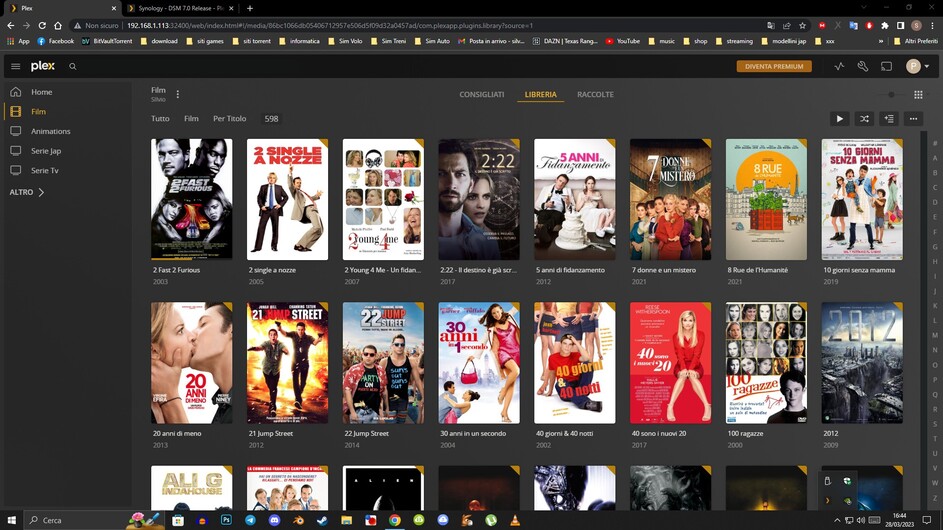
Yet another test, then i see that if I activate plex web it works on synology nas too image 1-2-3-, as i deactivate plex web, on synology nas it no longer finds the server and media image 4-5




As for DSM 7 itself, we’re stuck with that. Synology does not allow us to revert to the DSM 6 operating system.
I was asking about what looks like a valid PMS installation in the Plex shared folder.
This is what you had just prior to upgrading to DSM 7
When you upgrade to DSM 7, no matter what happens, IF PMS is installed, it will create an ‘empty’ server by default.
It does this because, without access to the ‘Plex’ shared folder, it gives you a new server instance on the box.
In most cases, this isn’t desired. Most folks want to keep everything they had in DSM 6 and simply upgrade to DSM 7.
What I am suggesting, and offering, to you is to do the same thing.
If, however, you’ve already recreated a fresh new server instance on DSM 7 - that’s fine.
Please let me know what you’d like to do.
- Migrate the DSM 6 plex servr
- Continue with the new DSM 7 server
Thanks
The screenshot
Looks like you are using Windows and you have a Plex server installed on Windows
Is this true?
If you don’t have a server installed on your Windows computer, are you showing me the Plex for Windows app ?
( I do not have a Windows computer so don’t know what I’m looking at with 100% confidence )
Look at the LAN address you’re using
92.168.1.113

That’s not correct for your home network.
It needs to be
192.168.1.x
This will change all your devices so be careful as you do this.
Everything should be setup as DHCP addressing
You then change the LAN definition in the modem/router and restart it
Lastly, you restart everything else so they get the new 192.168.1.x address
PMS requires RFC-1918 addressing on the home LAN.
– 192.168.x.x
– 10.x.x.x
– 172.16..x.x - 172.31.x.x
What you have there is a Public WAN address .
That’s why it’s not working
Thanks again. The Plex Server I had before upgrading the NAS to DSM 7 was 3-4 years old. And presumably if I have any other issues I’ll be asked to upgrade. So I’d like to continue with the newly installed DSM 7 server please. But I would be fine with reinstalling - it was a very short simple process.
If you like the DSM 7 (new) server you’ve created now, we can delete the old one and forget about it.
But, if you want all that history we can bring the history forward into the new DSM 7.
If you have custom photos in your DSM 6 server, it it probably best to to bring the entire server. (this is easy… just a bunch of clicking to do)
If I may ask this way?
-
Keep what you have now and forget the old server ?
-
Bring all of the old DSM 6 server data into DSM 7 without change ?
-
Bring only the watch history from DSM 6 → new server in DSM 7 ?
Thanks. No photos on Plex, just Media files with movies and TV shows. The only useful info I can see is the watch history which will point me to the next series/episode correct? But I can easily do without that. I just want an up to date Plex Server which is accessible from my mobile devices, Apple TVs and remotely.
