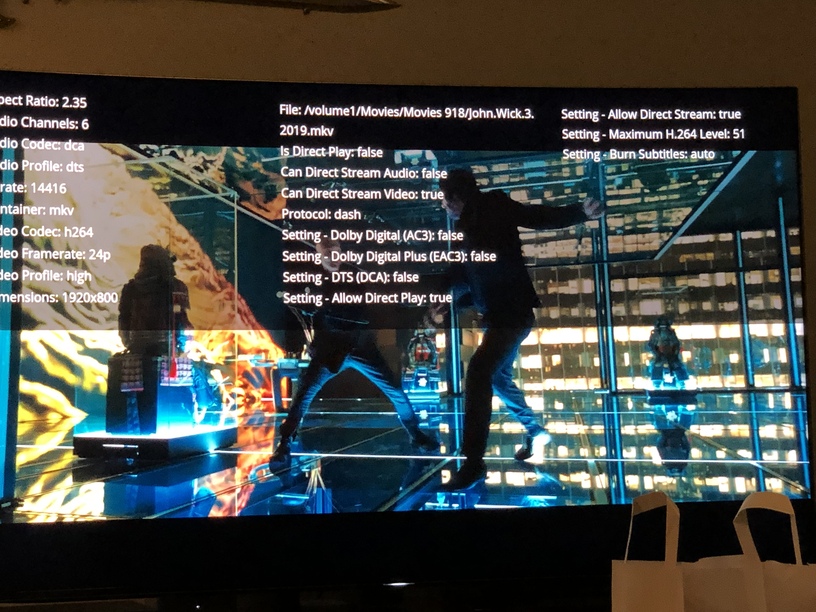
The subtitles disappears within about a minute on ALL my movies (mkv files) longer than 90 minutes, regardless of the srt subtitles being embedded or external, while using the web player on both Microsoft Edge and Mozilla Firefox. If I play movies that are shorter (or episodes of series) the subtitles works all the way through. For me the issue seems to be associated with the length of the file, and if that’s the issue I think you’ll never going to be able to reproduce this issue with a sample of the media file.
I’m running Windows 10, Plex server Version 1.16.4.1469, Web Client Version 3.104.2, all local.
No automatic quality, no always burn subtitles, Direct Play active, Direct Stream Active.
This is happening to me as well. I am using the latest Plex Docker on UnRaid. This only happens if I am using English subtitles. If I use external subtitles and remove the “.eng” the subtitles show up as unknown, but they play correctly and they don’t glitch out and stop showing.
Edit: The problem seems to be fixed after updating to server version 1.16.4.1469
…and today, after I installet the update (Server Version 1.16.5.1488, Web Client Version 3.108.2) VOBSUB subtitles act the same way (both internal and external) as SRT on ALL mkv files over 90 minutes.
Same issue as many others, playing a movie length .mkv and the subtitles stop working. I can get them to restart pretty consistently by backing up a few seconds and playing again. They always stop working during periods where there would be no subtitles, and don’t come back when characters are talking again. For example, the first 1:40 seconds of this movie is without talking, and the subtitles don’t start. But if I jump to at or slightly before when the subtitles should start, they will play fine. Until another period without talking and they don’t come back until i rewind a few seconds. I dont have a shorter length MKV to test this with unfortunately.
Streaming from a windows PC, to the web player, on the local network, but have seen similar results streaming to a roku at a friends house. server version 1.16.4.1469, and previous version I was on, 1.15.8.1198, was the same issue. Media plays fine from VLC directly on the server.
Same issue. Using web-player in edge browser on windows 10. Server is fully updated. If I put the subtitles on at the start of an episode, they actually last pretty long, maybe about halfway through the episode. Then they disappear. If I disable and re-enable subtitles they come back but disappear again after about a minute. Has occurred on multiple episodes of multiple different tv shows. Of note is that even after the subtitles are no longer showing, plex still shows subtitles being enabled.
Same here !
If I play a file from the begining, no issue with subs.
But if i close and resume it, or move forward in the video, subs starts to disapear…
(Plex server Version 1.16.5.1488)
Is the Plex team even seeing this thread? Is there a way to elevate the issue. I decided to get lifetime pass once the subtitles started to work properly, but now they don’t. That includes subtitles offset. That feature has never worked at all. One would think that they would at least listen to lifetime pass members, but I guess not…
Can you try/check again please? It was gone the last versions and back again since last update. There are more discussions about the same problem, so it would be great if this would be fixed. @chrisallen
Same problem here for a long time. they show up for a while and then go. Turn them off/on and they show up again for a bit. Play in another media player and works fine.
I can confirm that this also occurs both on my Roku as well as on the web player. Subtitles show up for about 30 seconds then disappear. Subtitles work perfectly when I run through VLC. This is a pretty important feature so I remain hopeful that it is resolved soon.
After re-reading over this thread, and a few others like It I was able to piece together enough common scenarios to reproduce this issue over a lengthy Saturday debugging session. It turns out there where more than one contributing factor (resuming/seeking, long periods where there was no subtitle dialog to be shown, and some start from the beginning timing issues) All manifested themselves in subtile ways that are not always reproducible, this is why I have struggled to reproduce when a number of you here suffer with the issue daily.
I understand many of you wished we had found and fixed this issue sooner, but this really has been hard to lock down in a reproducible manor to both validate the issue, and test the subsequent fixes as well.
Great, thank you and congratulation for having found the reason and solution to this issue. As an IT worker, I know how frustrating it can be to investigate this sort of erratic issues.
I’ll be happy to see your patch delivered.
Hey All I have edited my earlier response to add download links for you to install and test. Once we have wider confirmation that the issue is indeed resolved, we will include these in a production release.